Does CorrCoach work with Apple Watch workouts?
Yes. You can run CorrCoach workouts on Apple Watch when your account, app version, permissions and device setup support it.
CorrCoach Go keeps the plan, the Watch session and the post-run review in one place, so you are not stitching them together across separate apps.
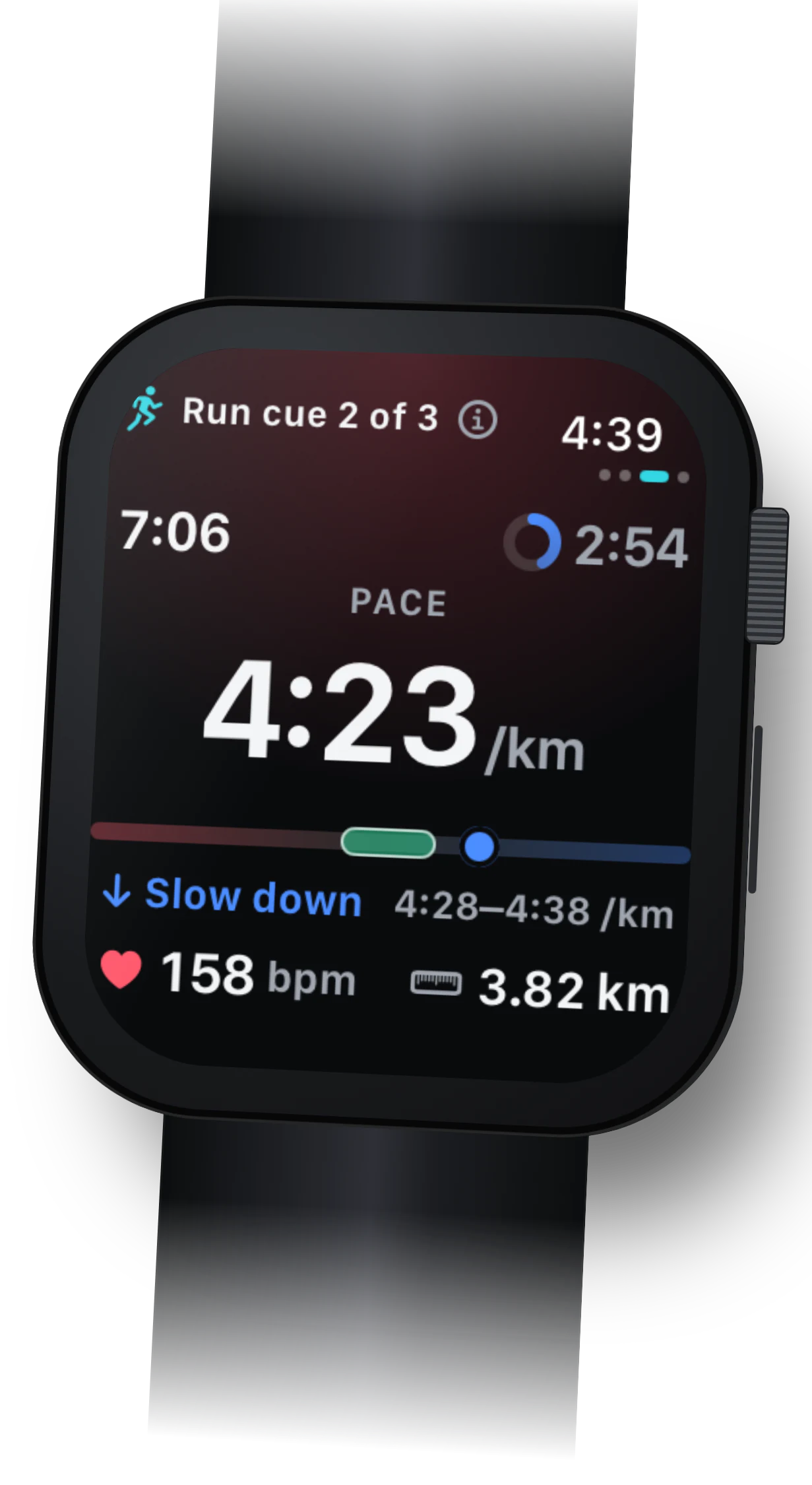
Apple Watch features depend on your device, permissions, plan tier and release channel. Not every Watch feature is available on every account.

On-wrist execution is one part of the loop: the goal shapes the session, the Watch carries the cue, and the completed run returns to review.
A running coach on the Watch has to do more than show a timer. The real test is whether the planned workout, the guidance on your wrist and what you learn afterwards all stay connected.
| Question | CorrCoach | What to verify elsewhere |
|---|---|---|
| Before the run | Shows the plan and what the next run is for. | Check that the purpose of the workout is clear before you send it to the Watch. |
| During the run | Cues you on the wrist and keeps the workout in sync with your plan. | Look for guidance during the run as well as recording. |
| After the run | Shows planned against actual, plus your history. | Look for a review that tells you more than the totals. |
Published by The CorrCoach Team. Updated . Screens are real CorrCoach captures of a made-up athlete, not customer training data.
Yes. You can run CorrCoach workouts on Apple Watch when your account, app version, permissions and device setup support it.
Yes, if you've given permission and the samples were imported. CorrCoach can then use your workout history, route, pace, heart rate and readiness when it reviews the run and plans what comes next.