Everything CorrCoach does.
62 features across your plan, your seasons, your coach, your recovery, the watch on your wrist, your friends, your team and the data you own.
62 features

Plan
A week that fits your life and your race.
Tell CorrCoach the goal, the date and the hours you really have. It builds the week and keeps it honest when things change.
Plans built from your week
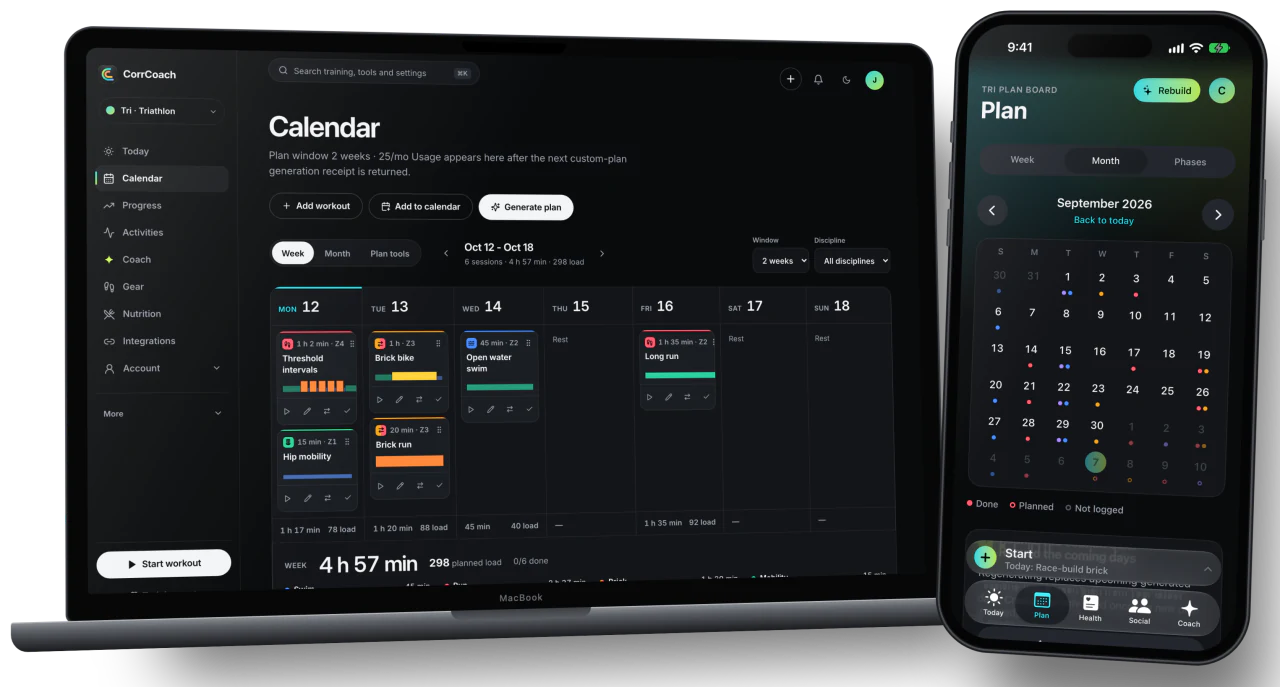
Your goal, your free hours and your recent training go in. A plan you can follow comes out.
You see what a plan costs in credits before it runs. Regenerating replaces the old generated workouts, so nothing stacks up twice. If the model can’t produce a good plan, you get an error and keep your credit.
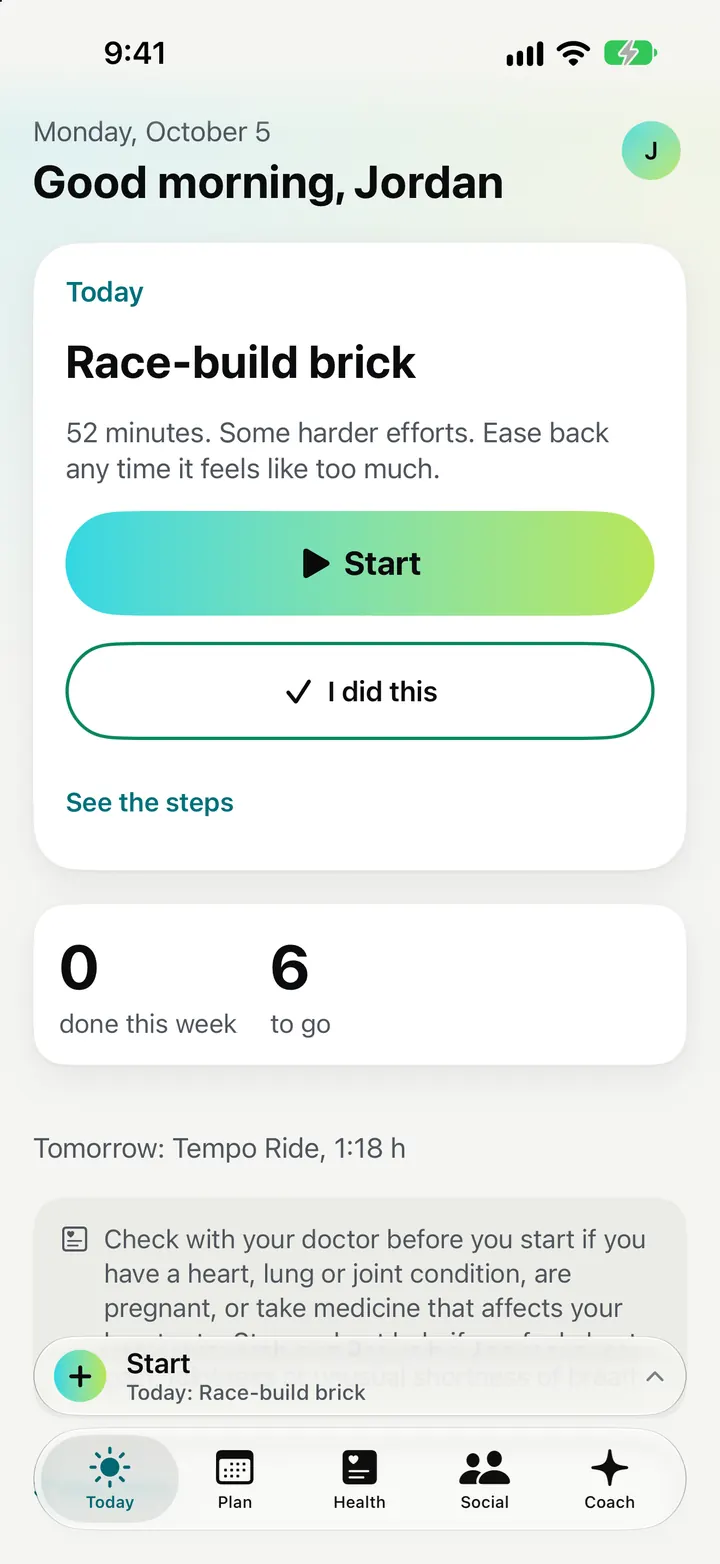
Week and month calendar
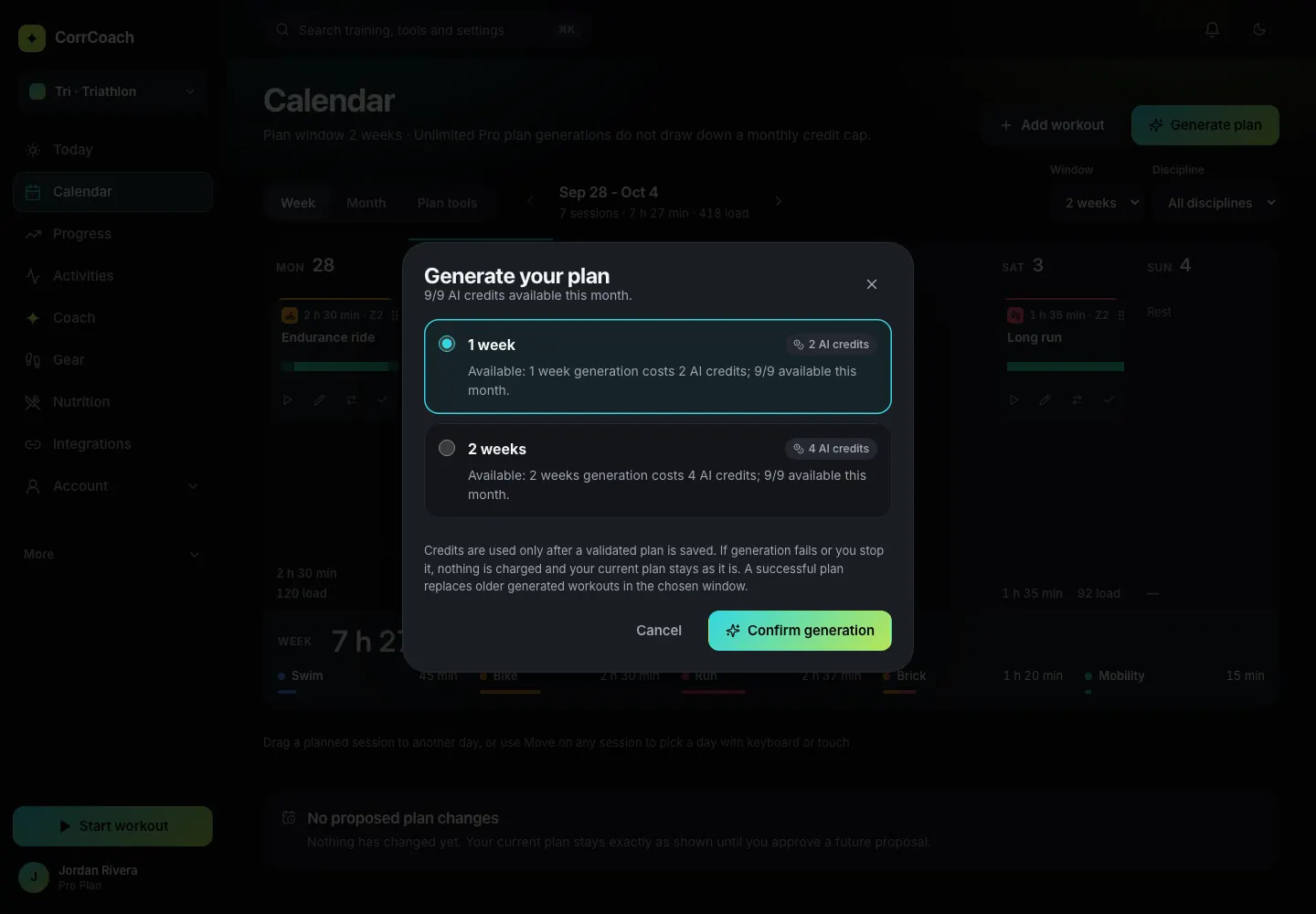
Hard days, easy days and rest in one view. Swipe back to see past weeks.
Each day carries coloured dots for its sessions. On the web you can drag a session to another day, and the week shows its total load.
Changes you approve
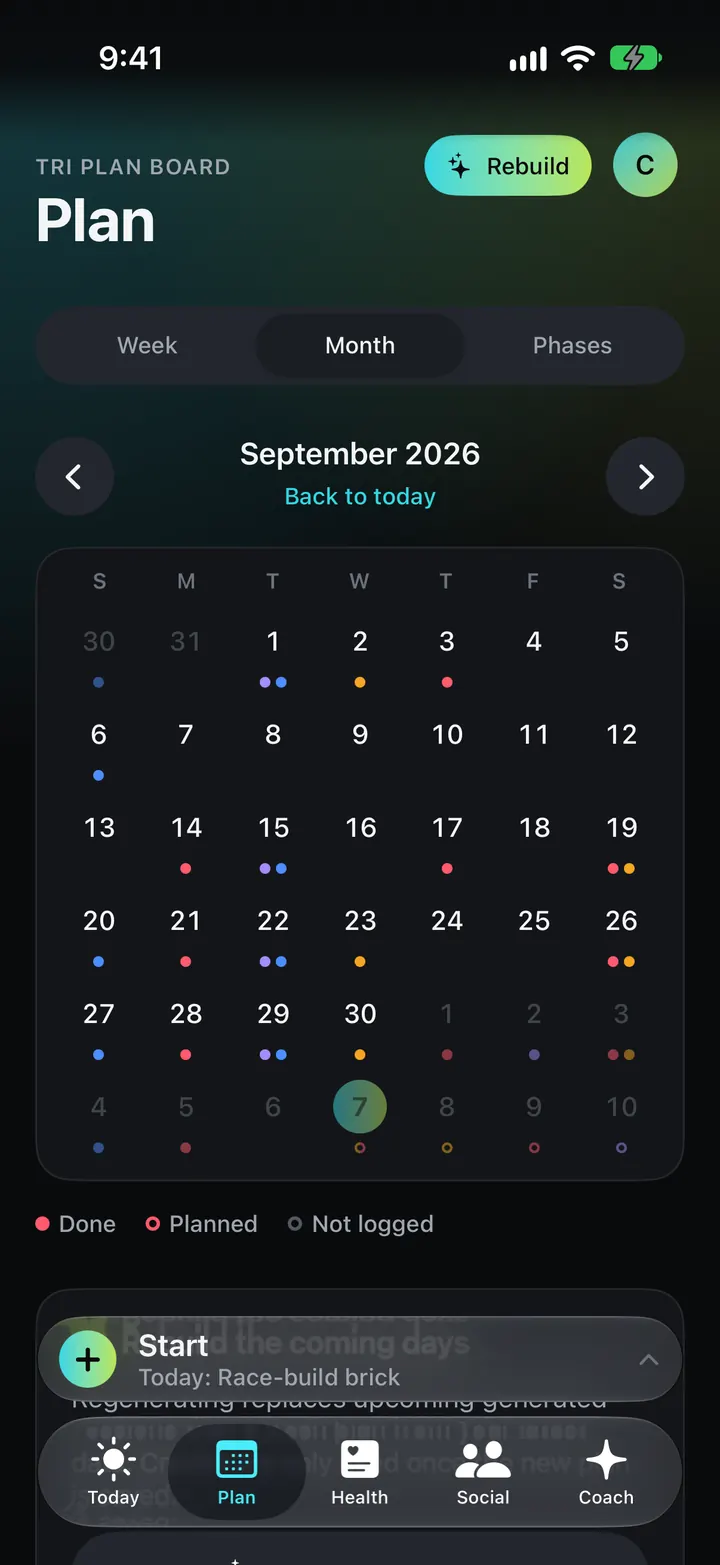
When the plan wants to move something, it asks first and tells you why.
Coach can add, move, swap, shorten, ease or skip a session, but only as a proposal you confirm. You can undo an applied change for seven days.
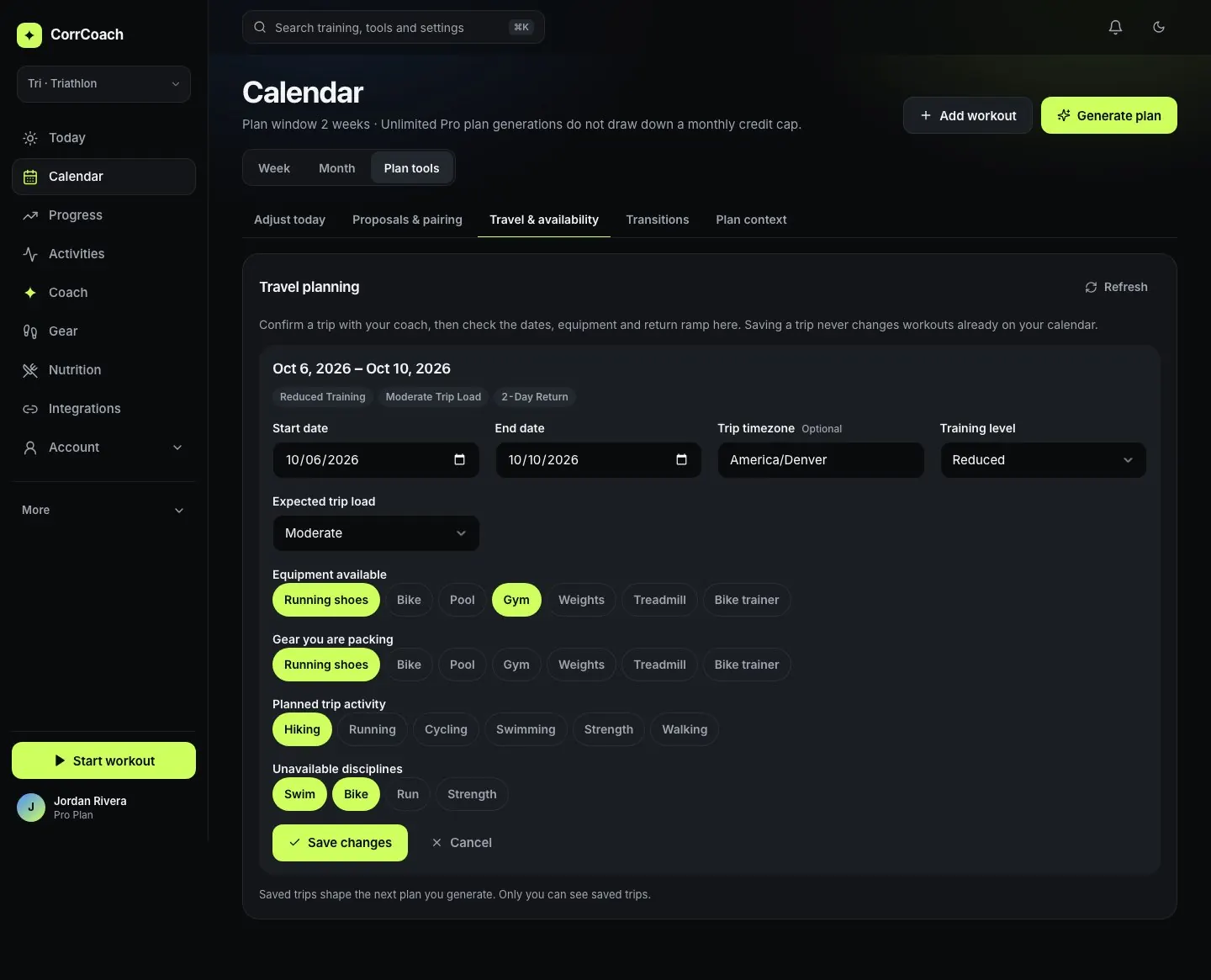
Travel and busy weeks
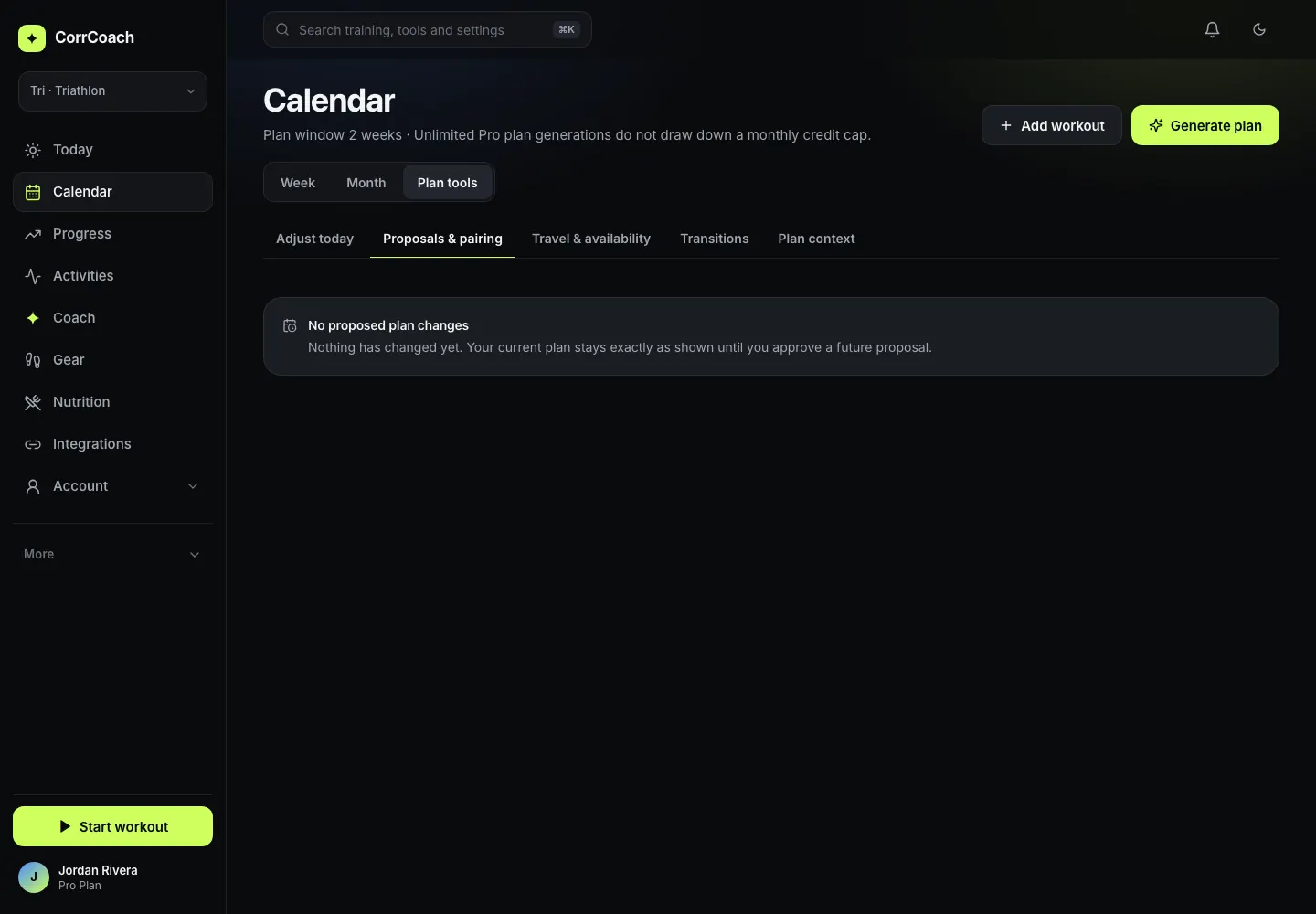
Add a trip or a crowded week and the plan works around it.
Trips and availability sit next to the plan. Past trips move into an archive so the list stays short.
Fitness tests
Ten tests, guided or sensor-free, that update your zones once you confirm.
The planner schedules a test when your zones need one. A 5K test sets threshold pace. Results never change your zones until you say so.
Simple, Standard or Detailed
Choose how much you want on screen. Simple shows the session and little else.
Detailed keeps every chart and number. You can change modes any time in settings.
No watch needed
Train by feel. Plans switch to effort targets and your phone records the session.
Onboarding asks what you train with. If the answer is nothing, sessions use perceived effort.

Seasons and race builds
Base, build, peak, taper. Then the next one.
Know which phase you are in, ease off when a lighter week is due, and move on cleanly when a season ends.
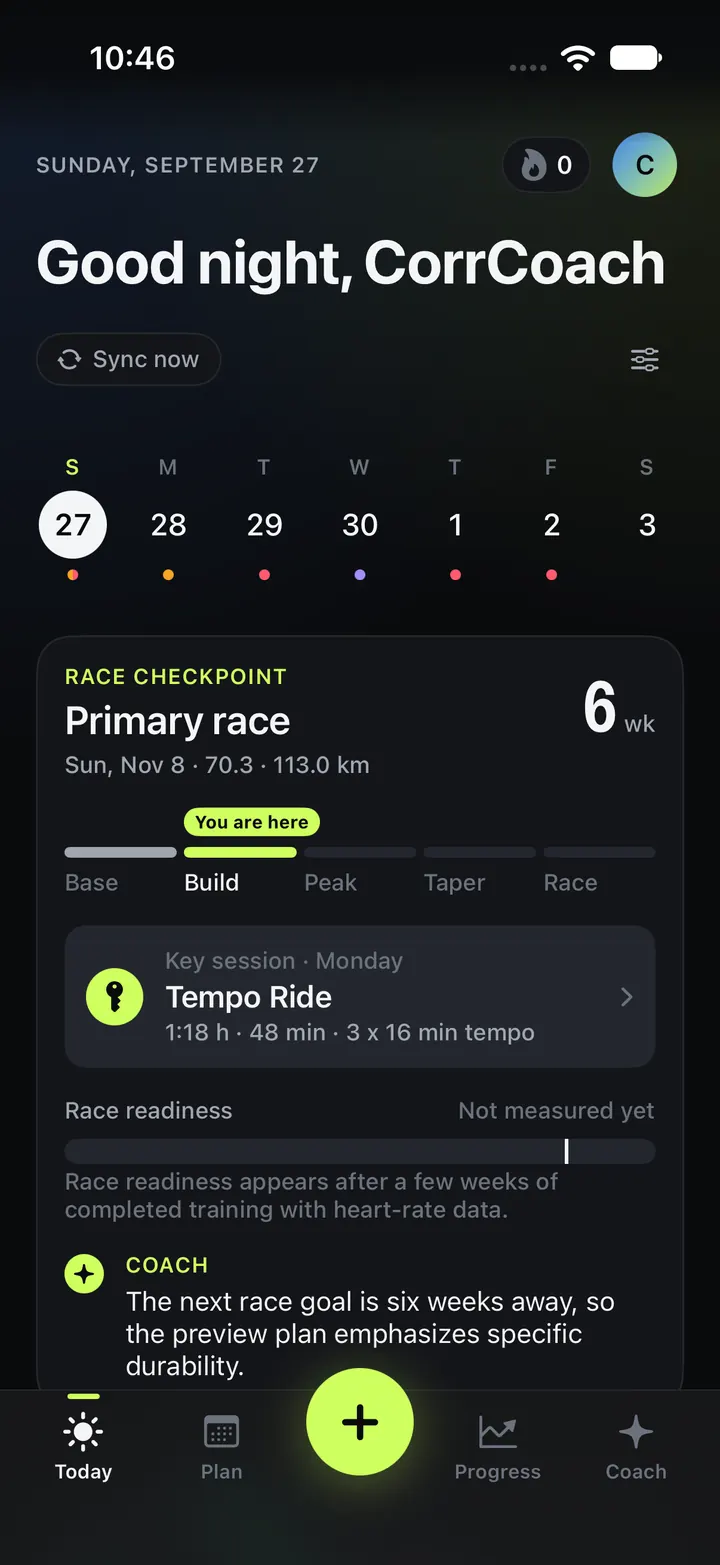
Base, build, peak, taper
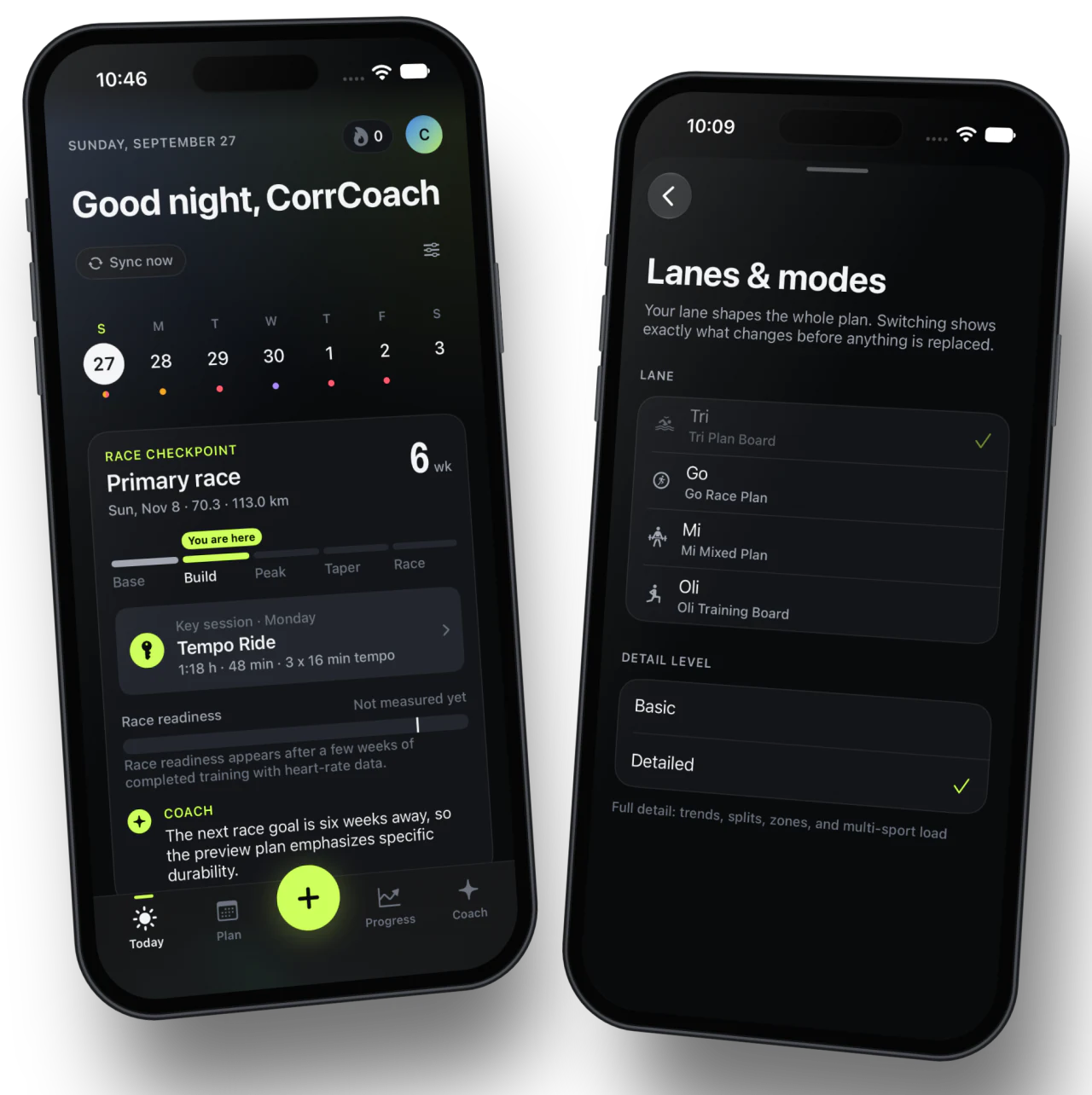
See which phase of your race build you are in and how many weeks are left.
The race checkpoint on Today and the goal view on Progress show the four phases with a marker for where you are. Phase lengths follow the race distance.
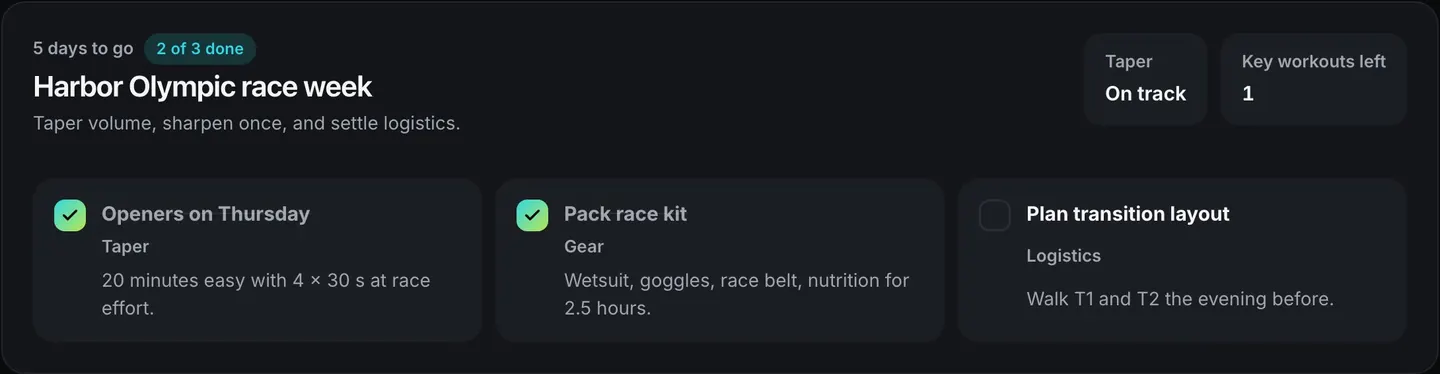
Race week checklist
Taper, sharpen once, and settle the logistics.
Race week turns into a short checklist you tick off, from openers on Thursday to packing your race kit.
Easier weeks inside a build
Load builds toward your peak, and every fourth week of a build eases back.
The weekly load a build asks for steps up as the race gets closer, with a lighter week built in. Your readiness and recent training can still pull a week down.
Offseason, preseason, in season
Tell Oli where you are in your sport’s season.
Pick offseason, preseason, in season or taper, and add the dates for your first practice, games and tournaments. The plan follows that frame.
The next goal, with your history
Finish a race, set the next one, and keep everything you trained.
Add a new goal with its date and generate a fresh plan. Regenerating replaces the old generated workouts, and past sessions stay on your calendar.
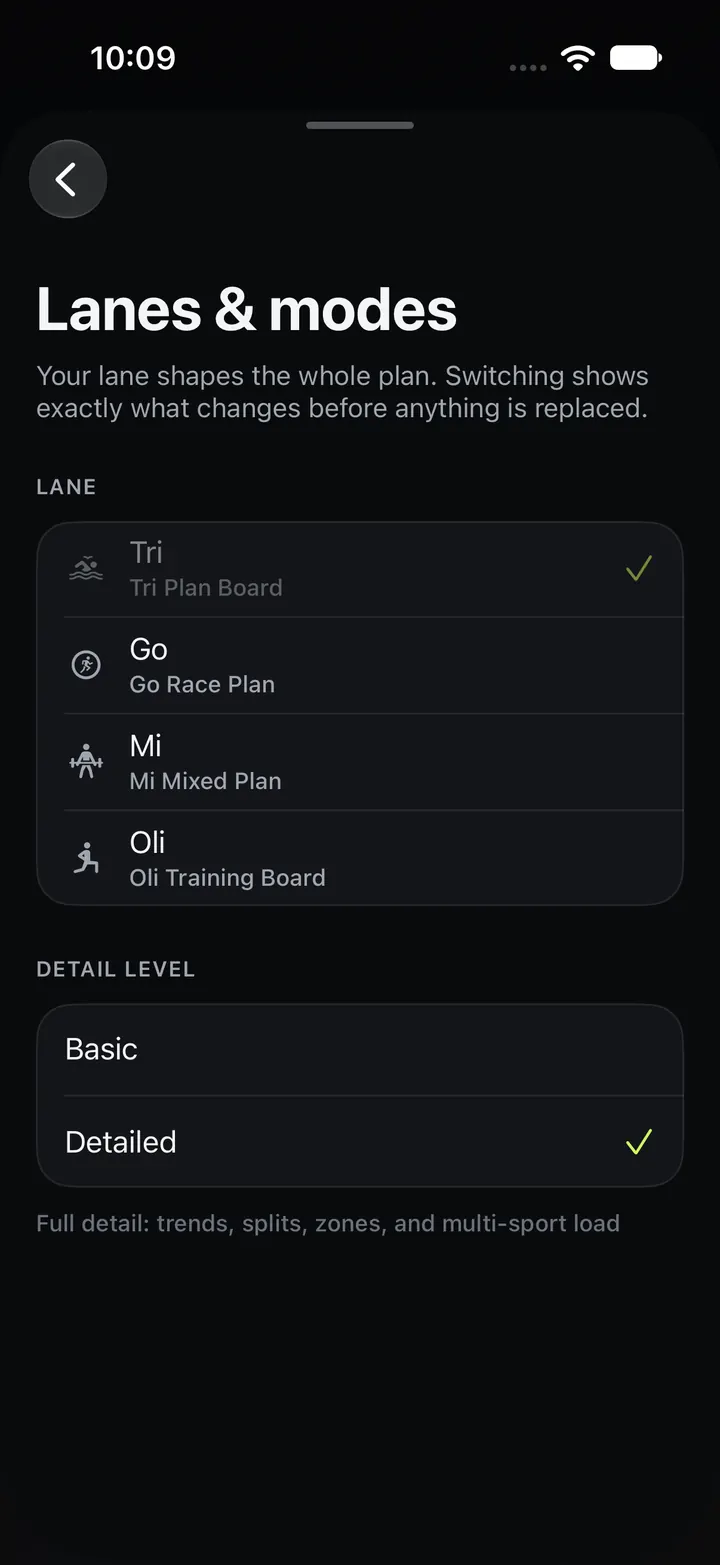
Switch lanes between seasons
Run a Tri season, then a Mi winter, on one account.
Switching a lane shows exactly what changes before anything is replaced. Your history, settings, billing and privacy controls stay with the account.
Today
Open the app. See the session. Go.
Today answers one question: what do I do now, and why? Everything else is a tap away.
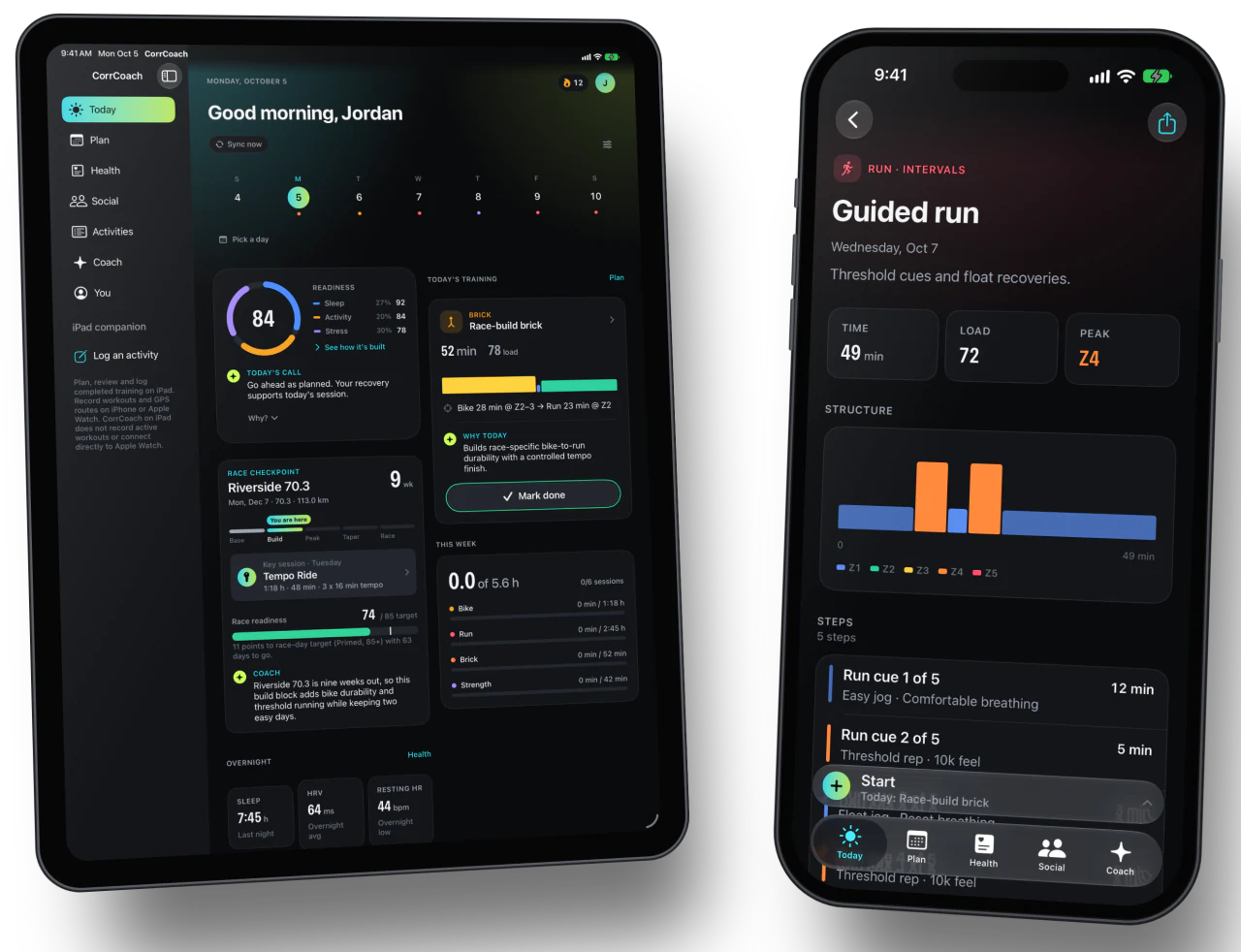
Today, at a glance
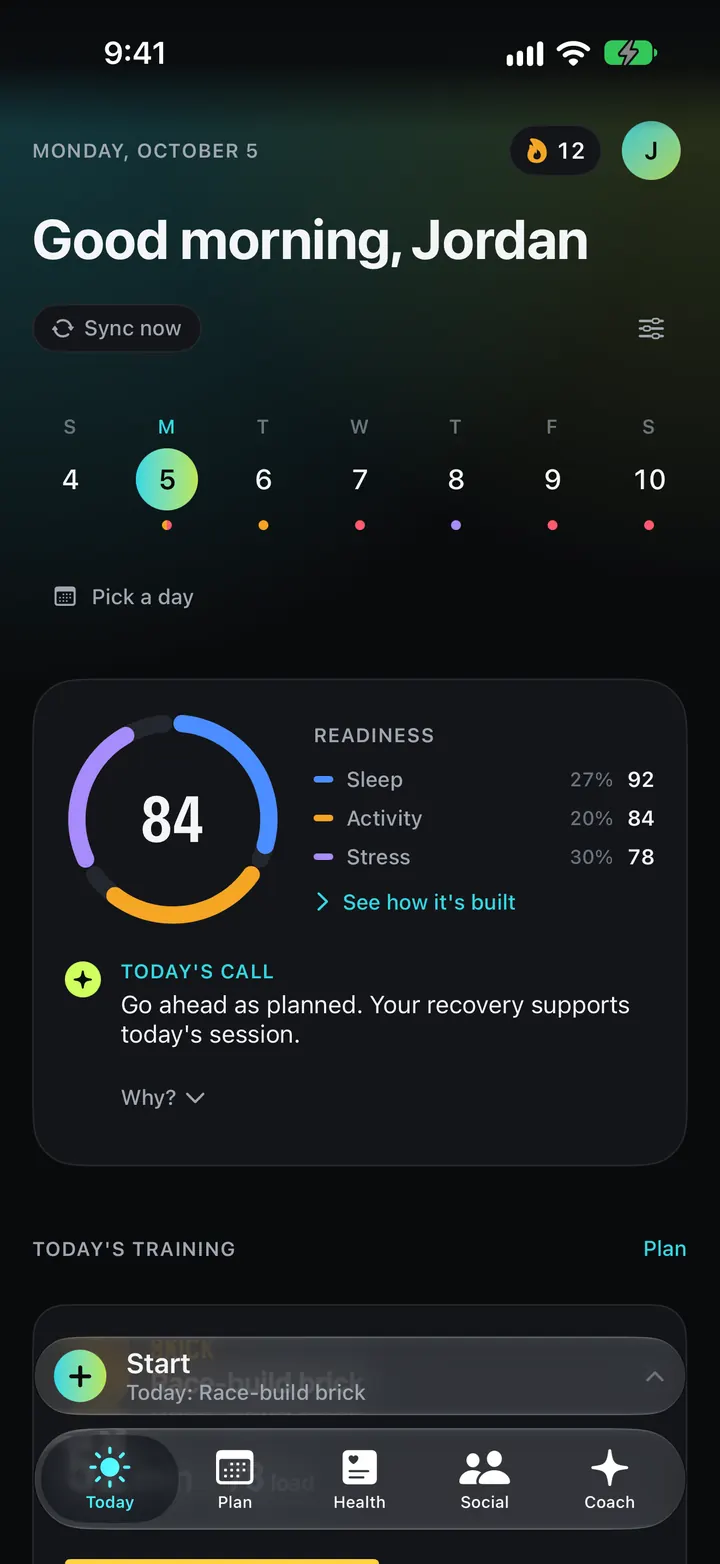
Today’s session, your readiness and the week on one screen.
A streak counter and a sync button sit at the top. You can reorder or hide the cards below with the layout editor.
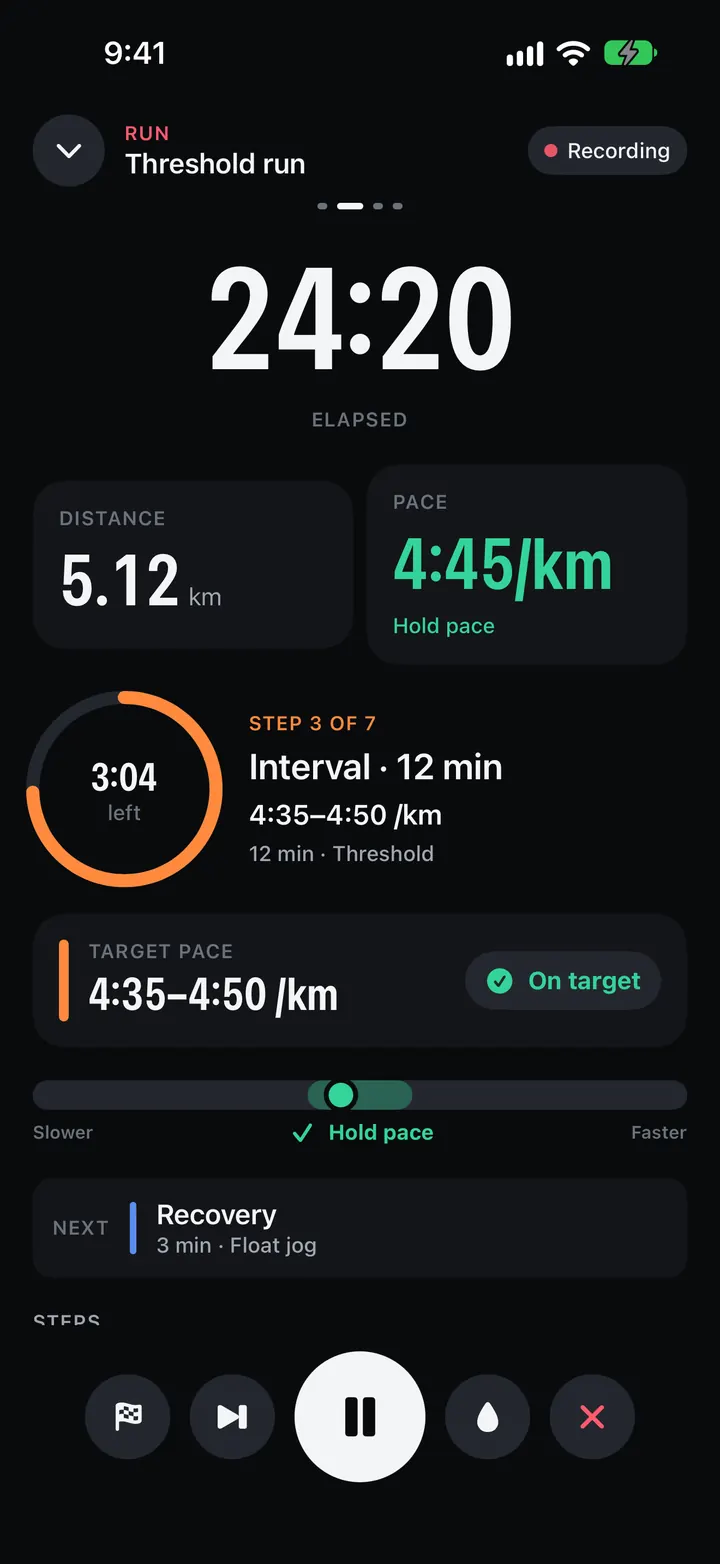
Sessions with real targets
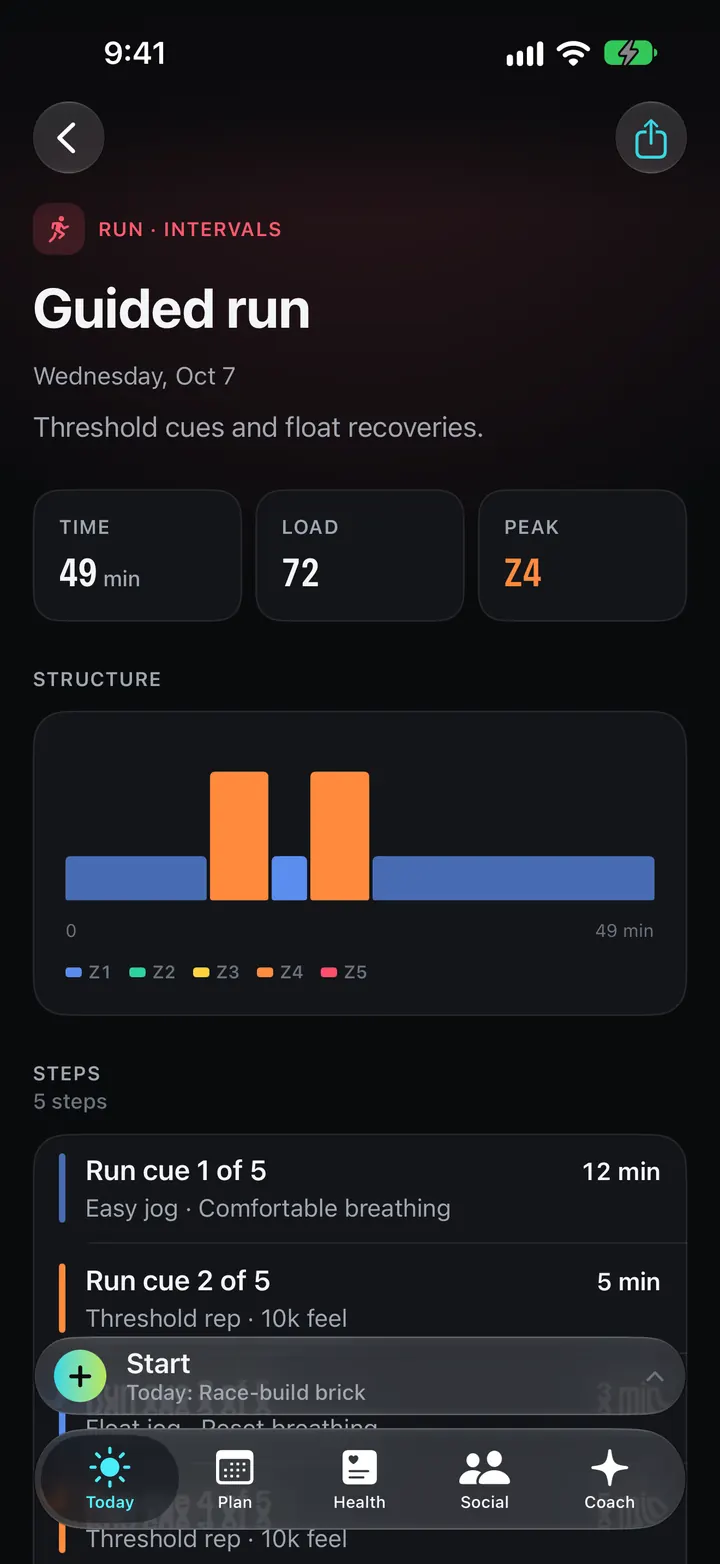
Every step has a pace, power or effort target, and a line on why it’s there.
The structure chart draws each step by length and intensity. Send it to your watch, move it, swap it or skip it from the same screen.
Widgets, Siri and Live Activities
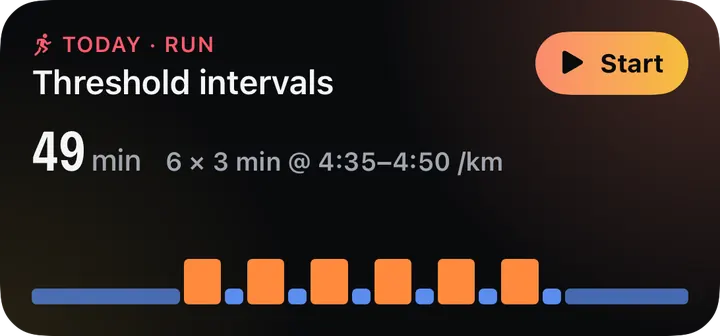
Check today’s session from the Home Screen, ask Siri, or watch a plan build on the Lock Screen.
Small and medium widgets show the next session or your readiness. A Live Activity tracks a plan while it generates.
Ghost runner
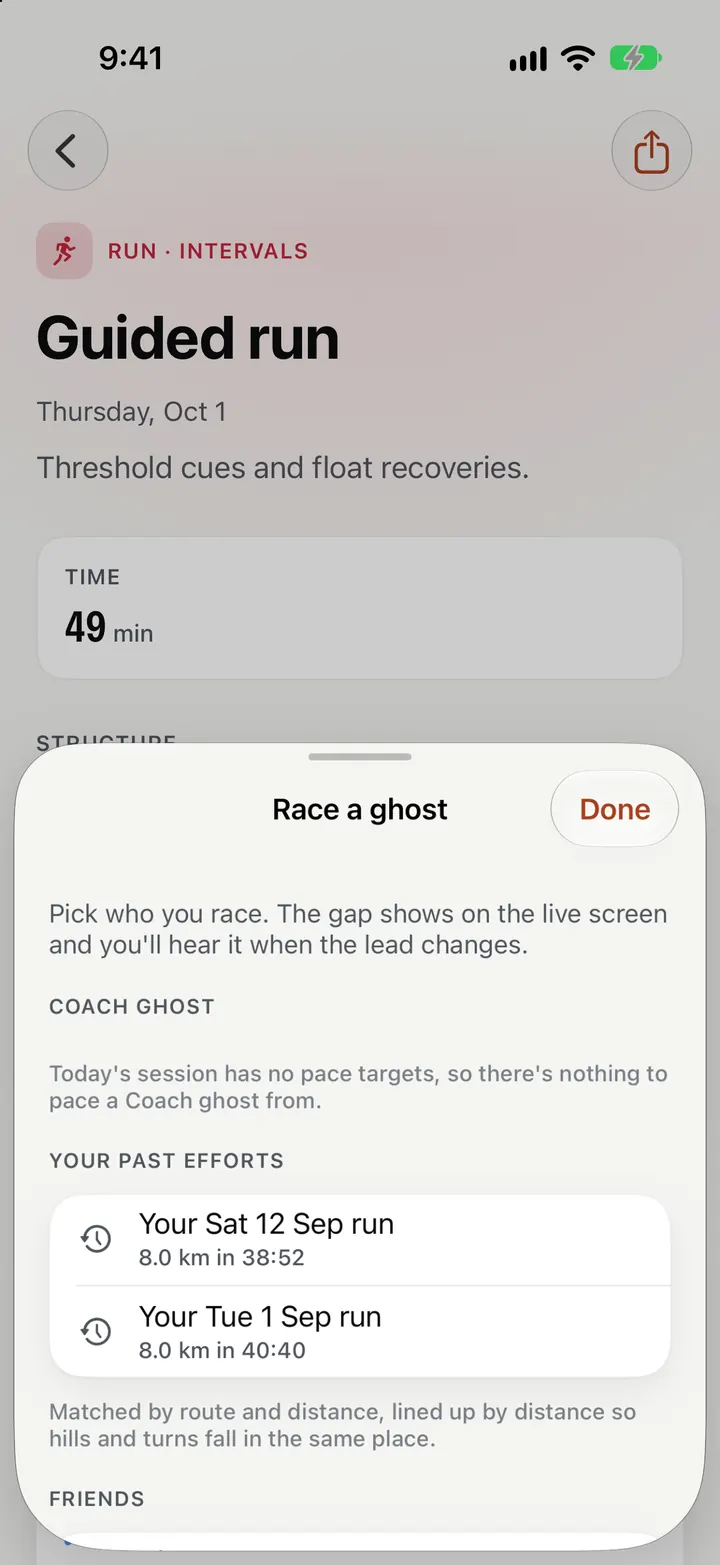
Race your own best effort on a saved route, or a target-pace ghost.
The live gap shows on iPhone and Apple Watch, with spoken cues when you fall behind or pull ahead.
- Pro
Suggested routes
Routes built from the roads and paths you already run, close to the distance you need.
Routes come from your own GPS history, within about ten percent of the planned distance.

Coach
A coach that explains itself.
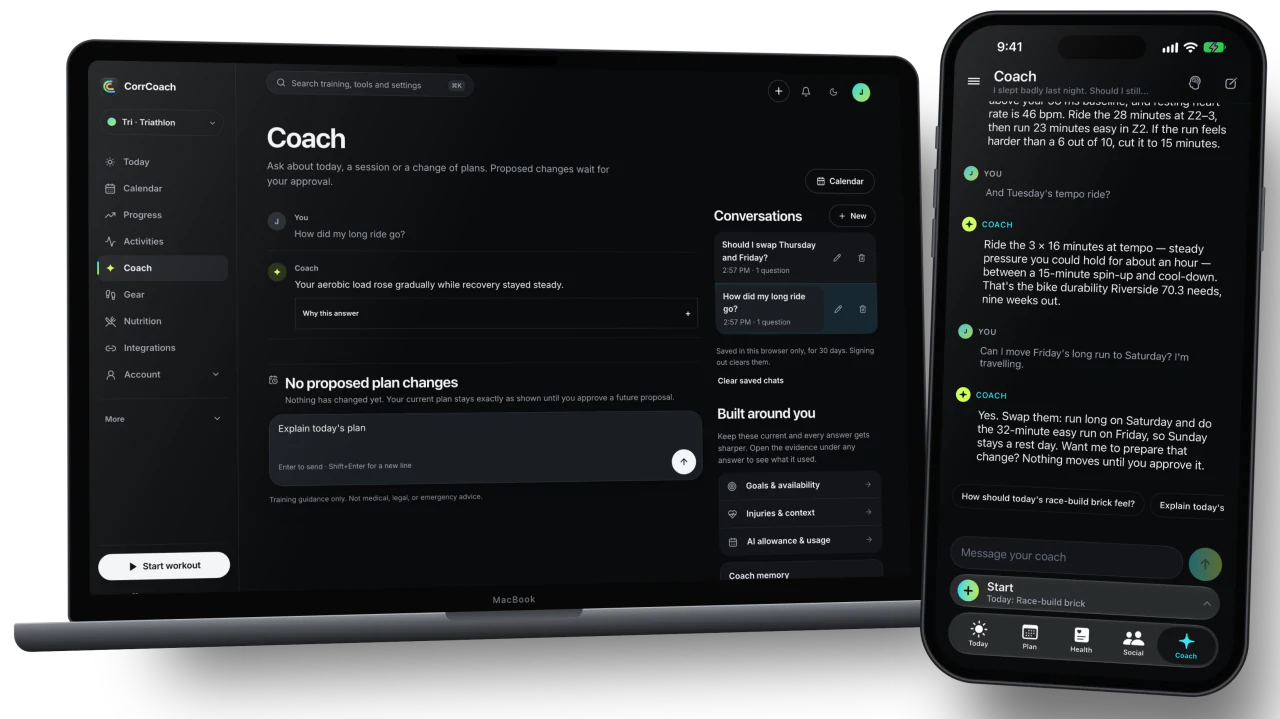
Ask about today, your race or a rough week. Coach answers from your plan and your data, and it never changes anything without asking.
Coach chat
Answers grounded in your plan, your readiness and the race you’re training for.
Suggested questions get you started. When Coach suggests a change it arrives as a proposal card you can approve or ignore.
Saved chats and memory
Pick up an old conversation where you left it.
Coach keeps the context you chose to keep, and you can see and clear what it remembers.
Sick-day check-in
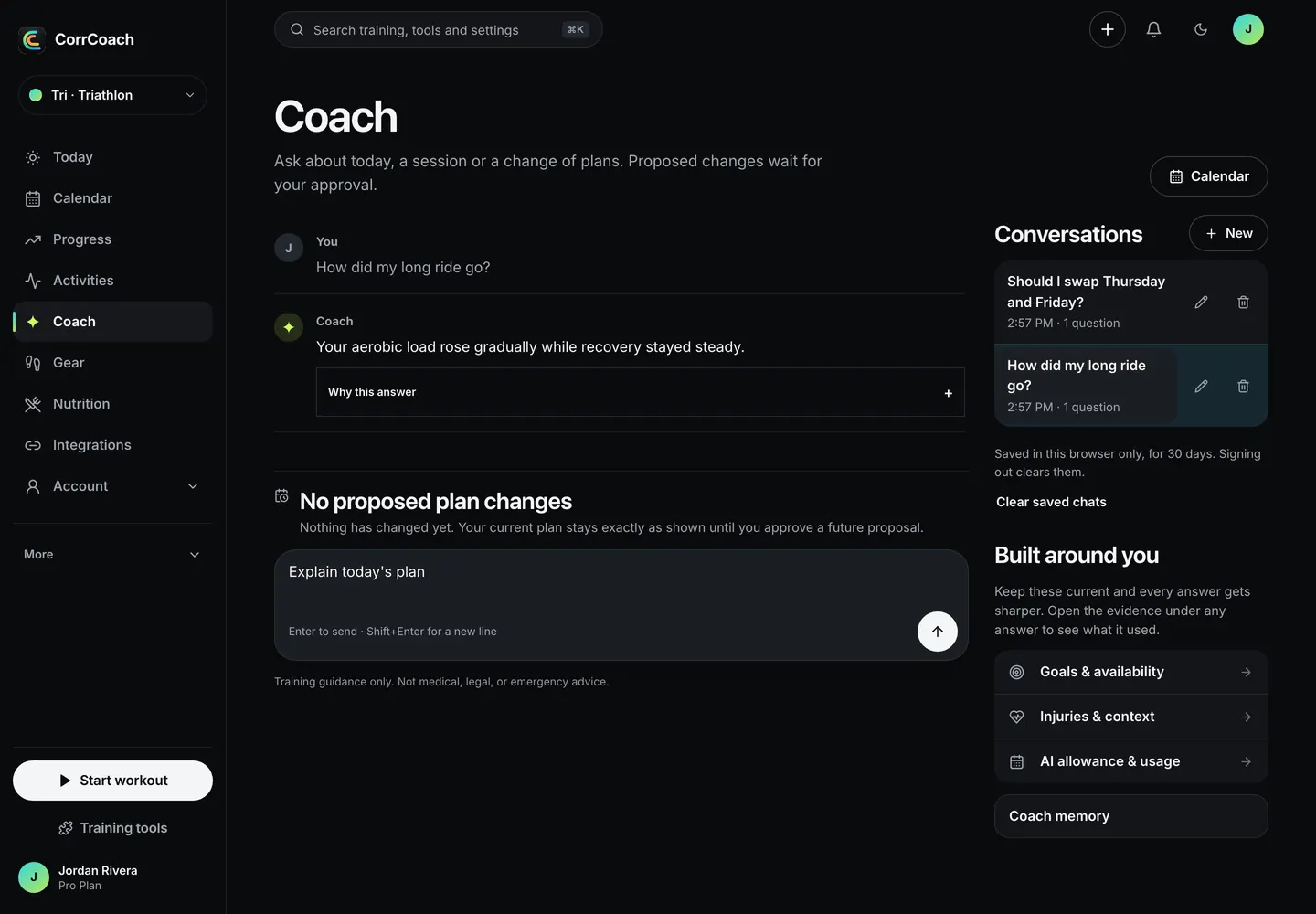
Feeling rough? Skip today or ease the next two days in one tap.
Illness and poor-recovery alerts compare you with your own 28-day baseline. CorrCoach never offers a diagnosis.
Coaching voices
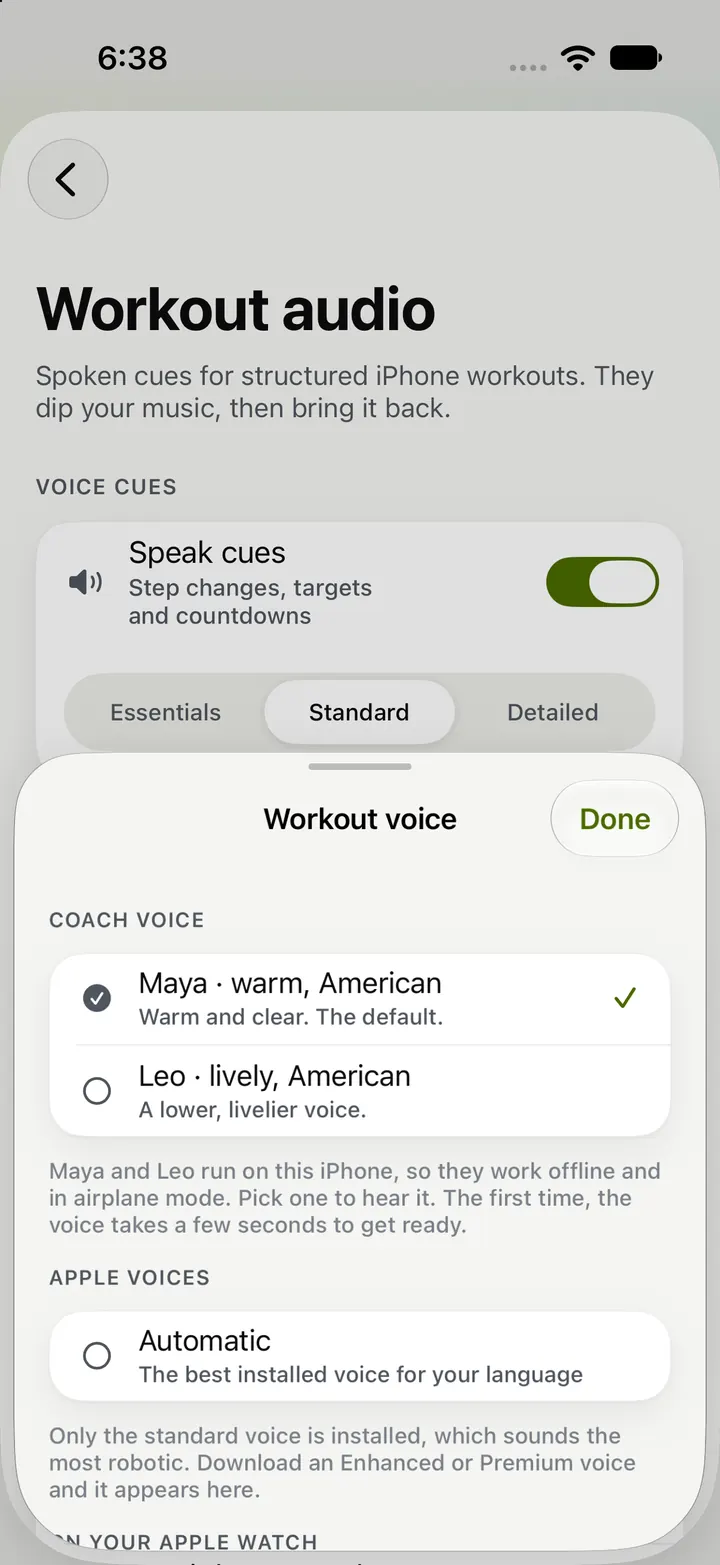
Pick a voice for workout cues and hear it say your name first.
Each preview uses your units, so the sample cue sounds like the ones you’ll hear mid-run.
Private by design
Everyday coaching runs on CorrCoach-controlled servers. Your data doesn’t train OpenAI or Anthropic models.
If Coach can’t give a good answer, it tells you and charges nothing. It never swaps in a canned reply and calls it coaching.
Health and readiness
Know when to push and when to hold.
Readiness comes from sleep, activity and stress, and you can see what each one added to the score.
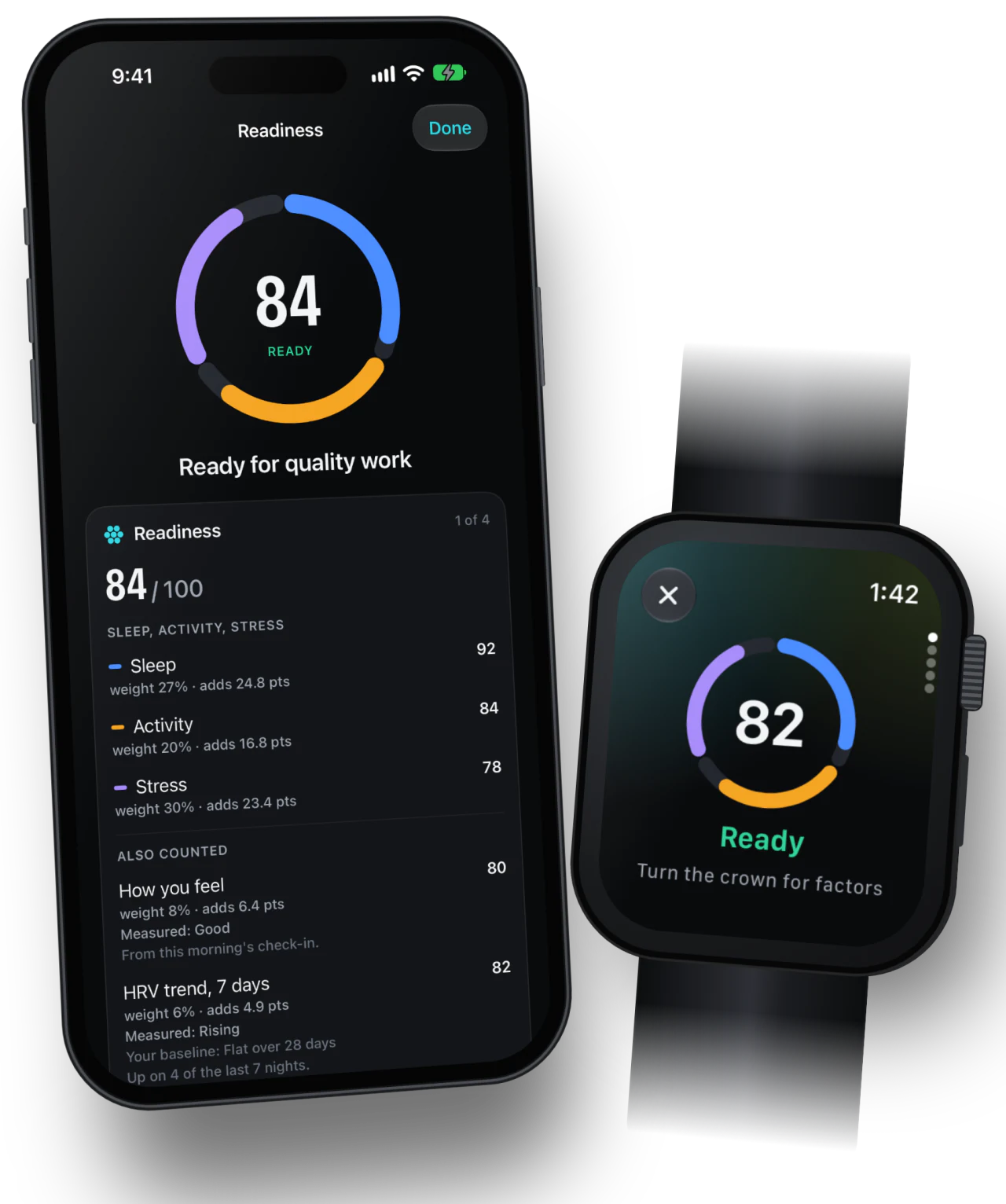
- Breakdown in Core and Pro
Readiness you can read
One score from three parts, with the weight and points each part added.
Tap a factor to see it in plain words against your own baseline. Free shows the scores; Core and Pro show the full breakdown.
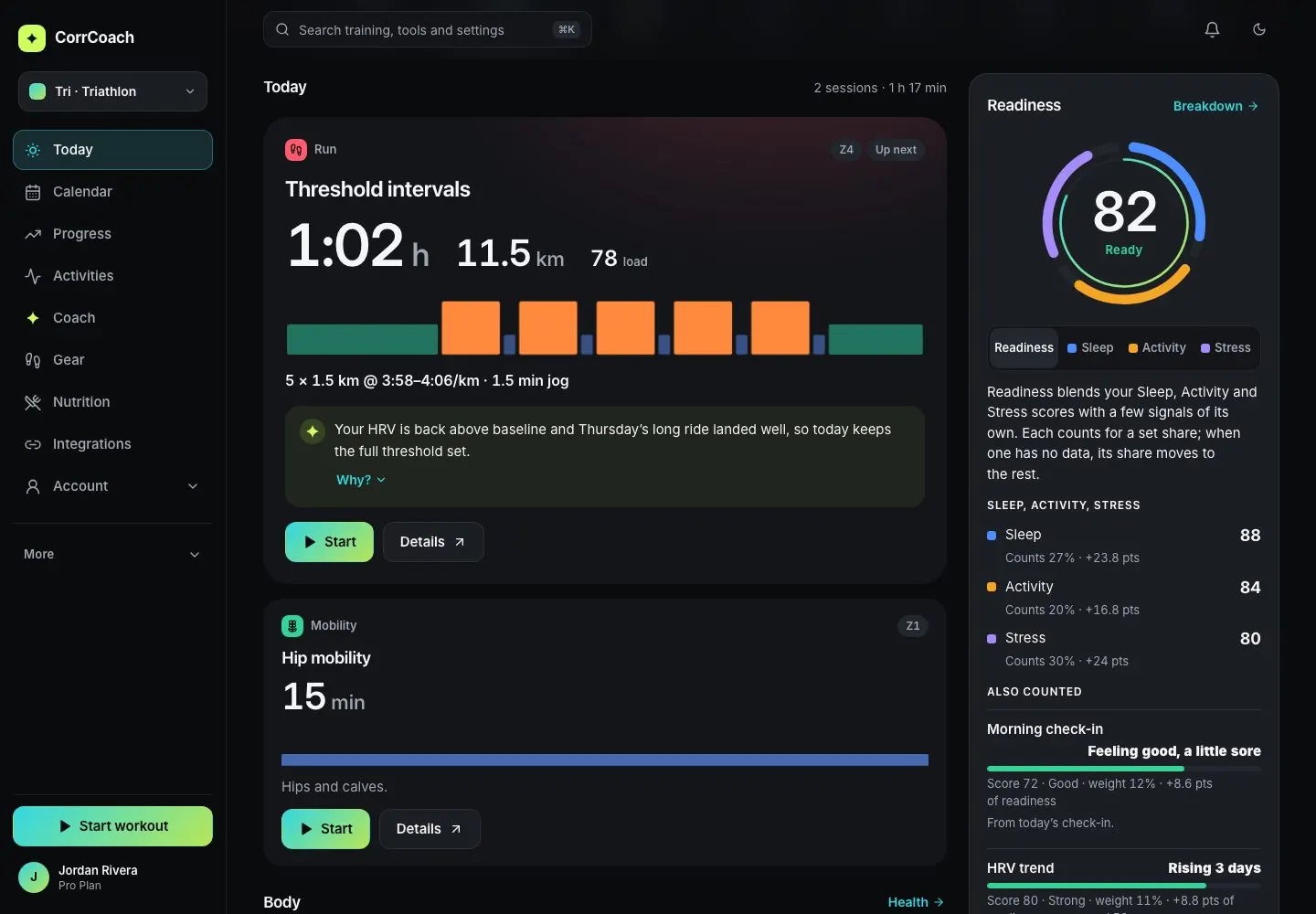
- Core and Pro
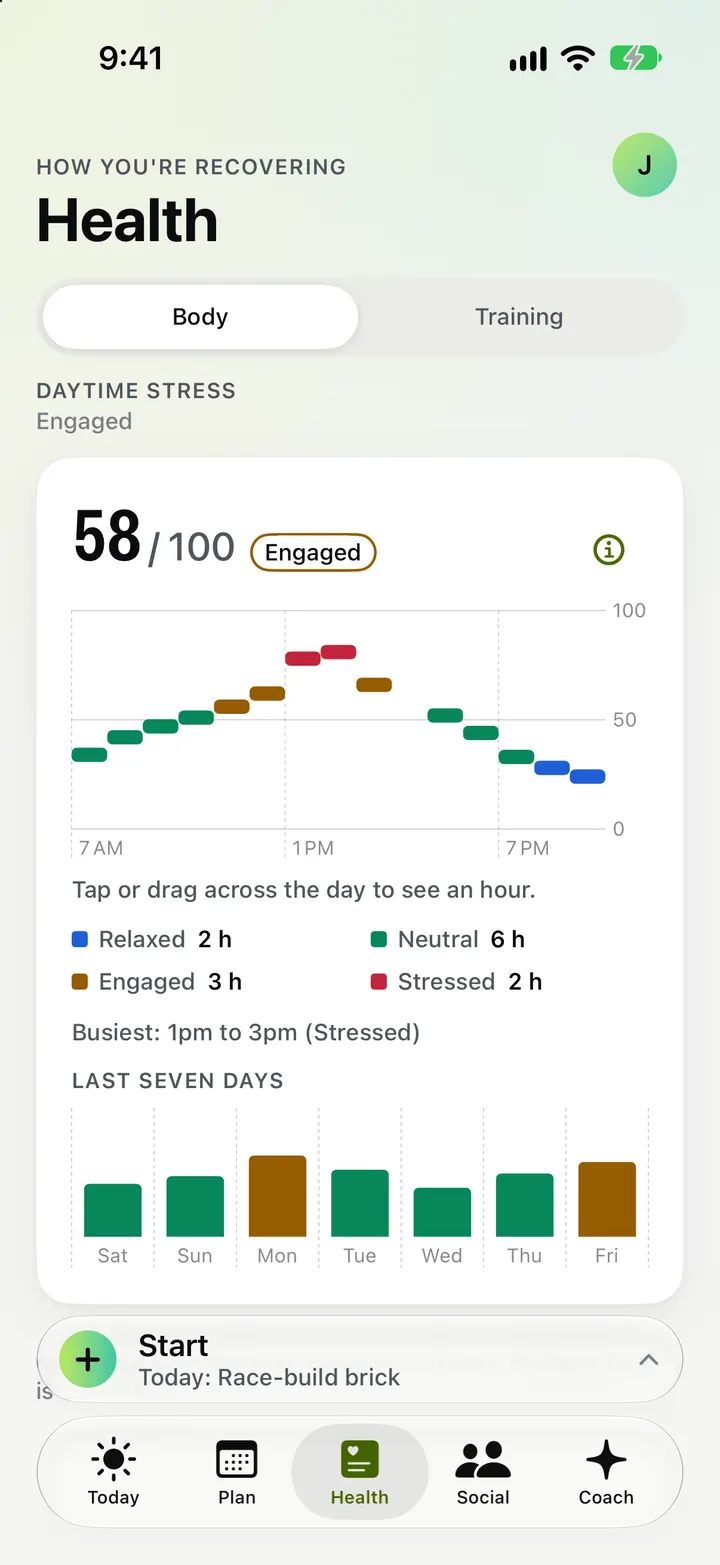
Sleep and daytime stress
Sleep timing and efficiency, and how stress moved through your day.
Stress shows as stressed, neutral, engaged or relaxed across the day, with the graph behind it.
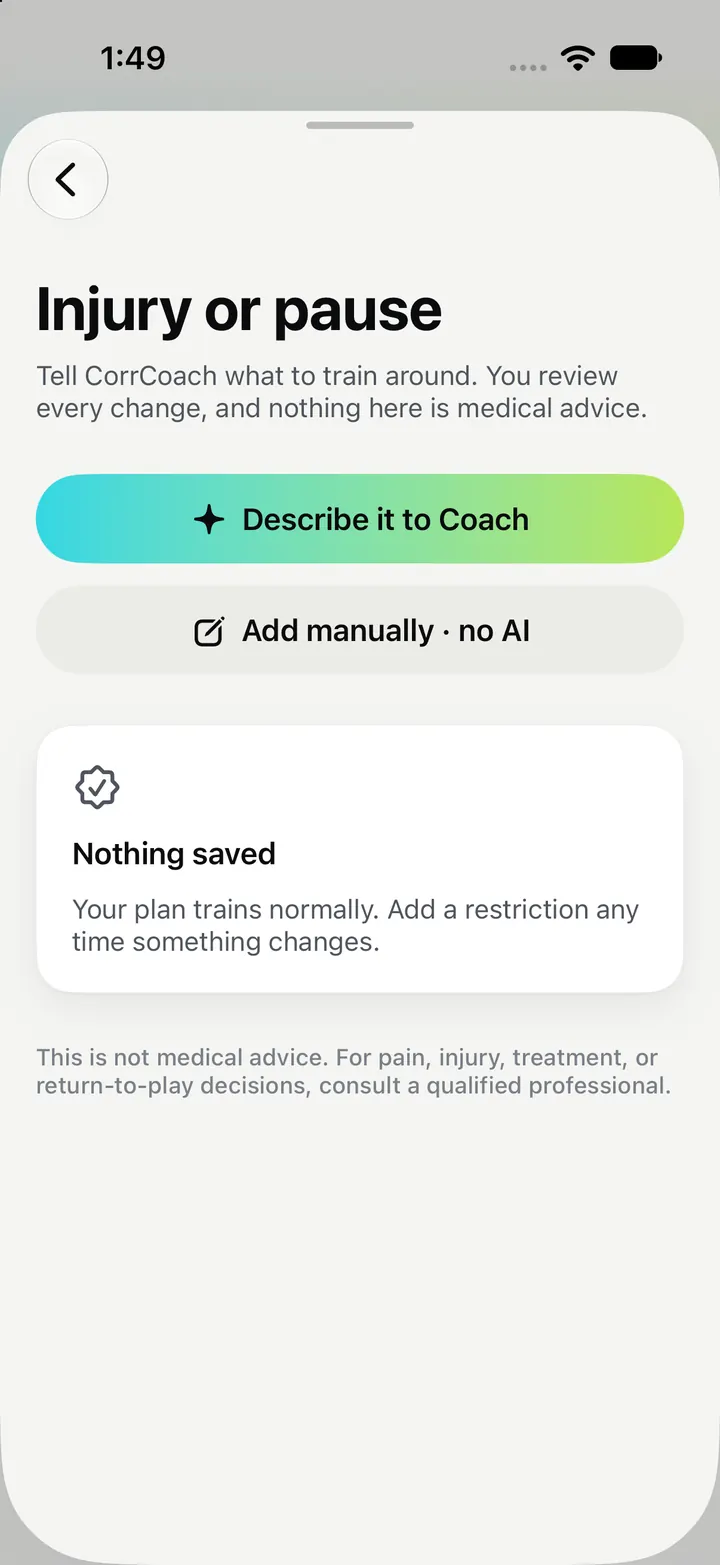
Injuries and limits
Add an injury or a limit and the plan steers around it.
Restrictions carry dates, and past ones move to an archive. This is training guidance, not medical care.
Progress in plain words
Fitness, fatigue and form, best efforts and zones, labelled so they make sense.
A weekly review sums up what you did against what was planned and what changes next.
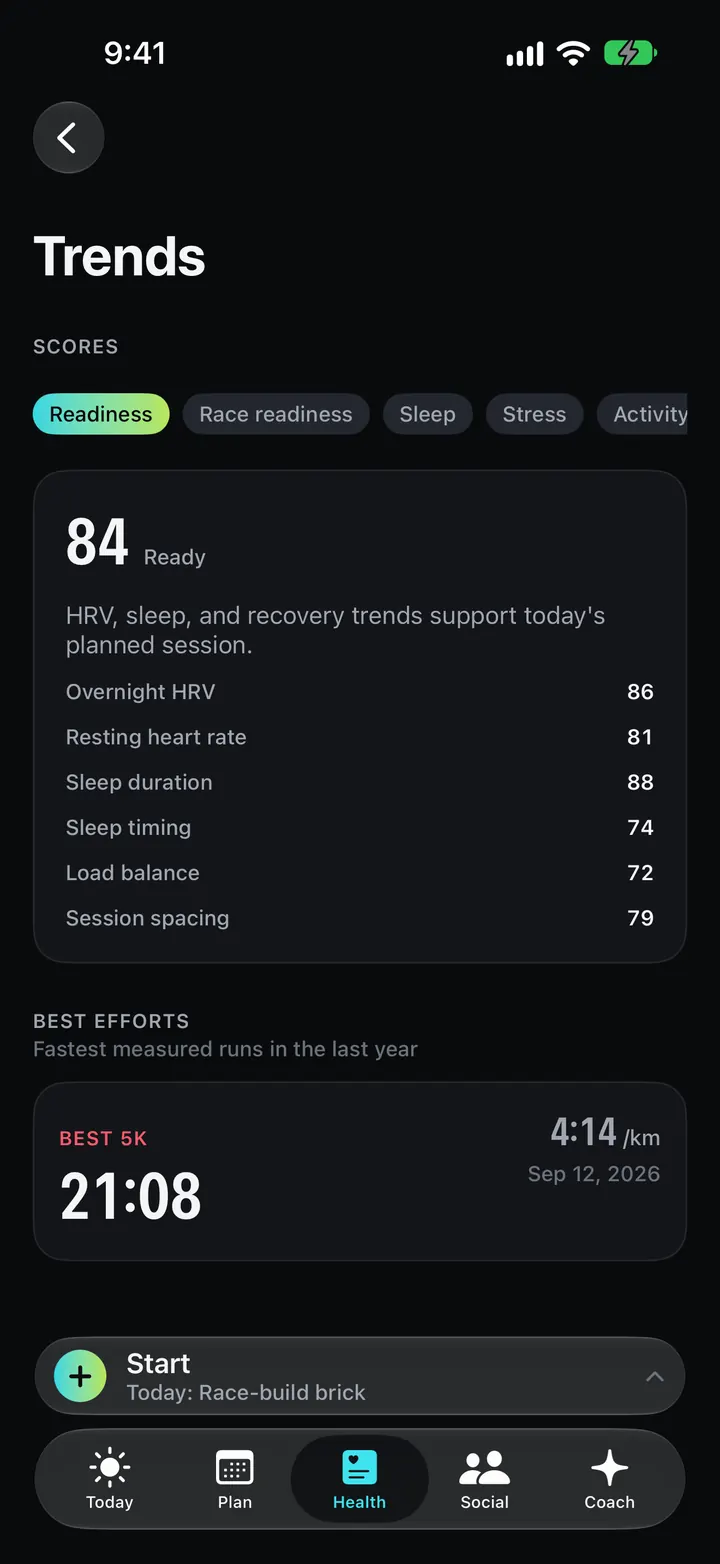
Try a change before you make it
Ask what happens if you move a key workout, and see the projected load first.
A projection never changes your plan. Turning it into a real change is a separate step you approve.
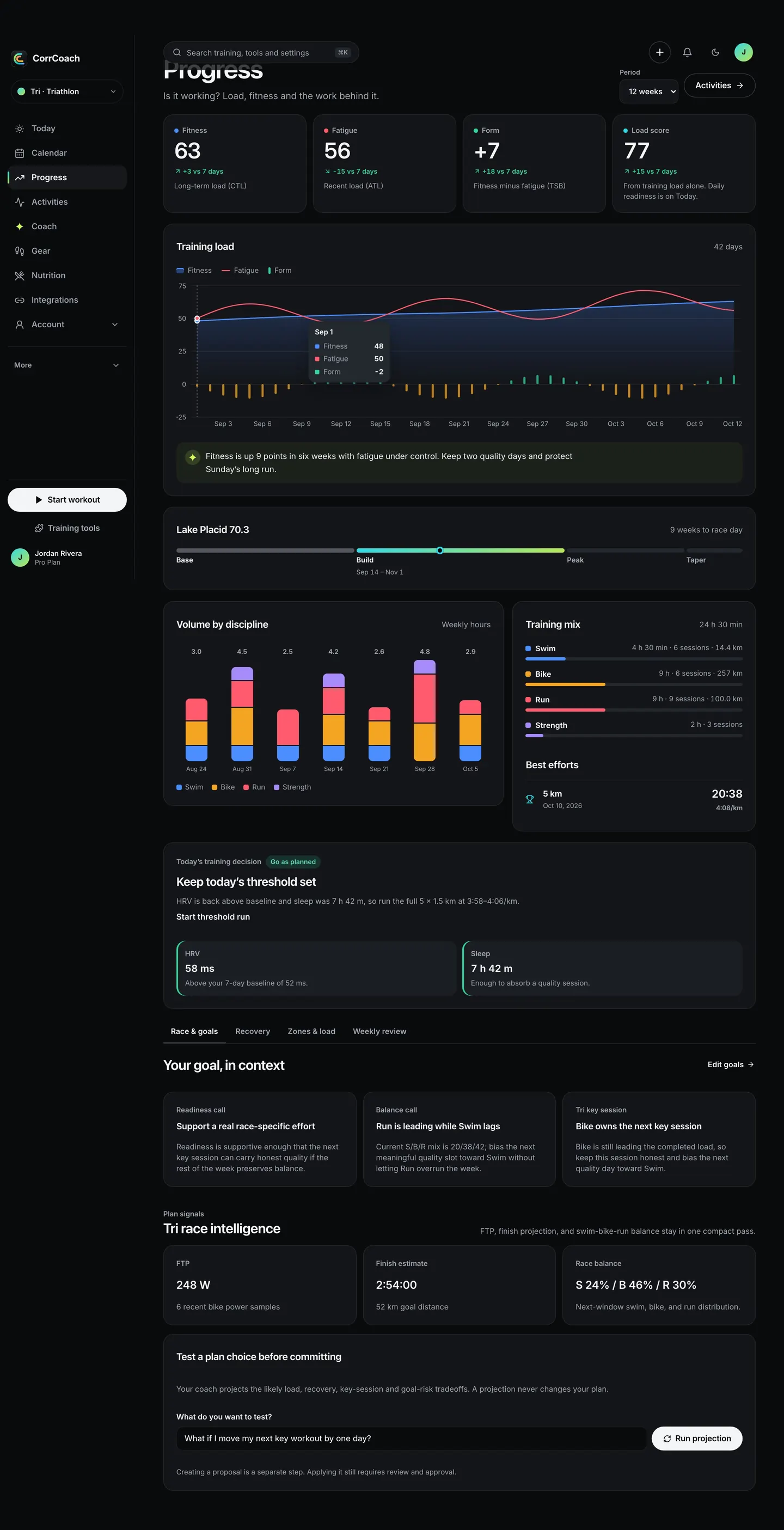
Muscle recovery map
See which muscles your lifts worked and how recovered each one is.
A front and back body map on strength sessions, and a recovery heatmap in Progress.
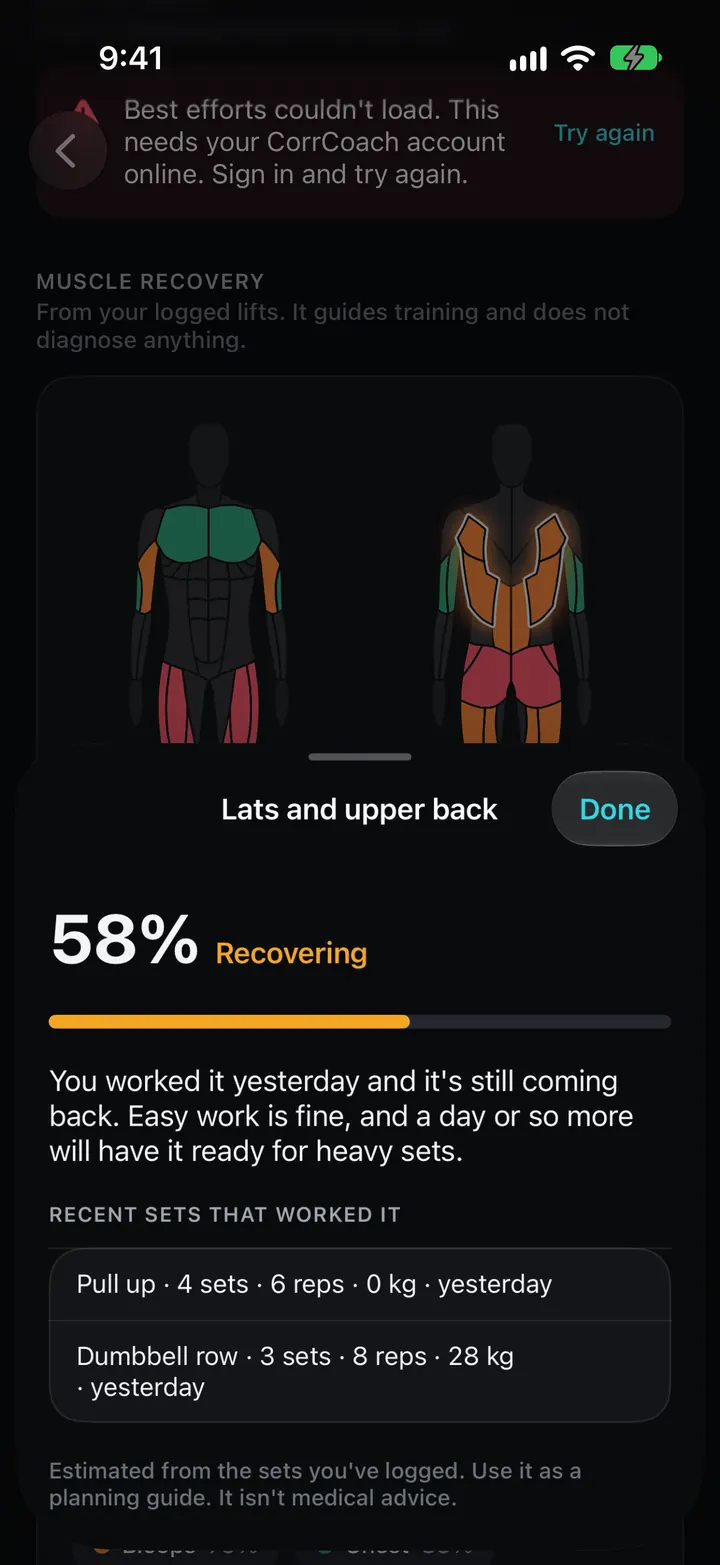

Apple Watch
Your plan, on your wrist.
Planned sessions land on Apple Watch ready to start, and the screens stay readable when your heart rate is 170.
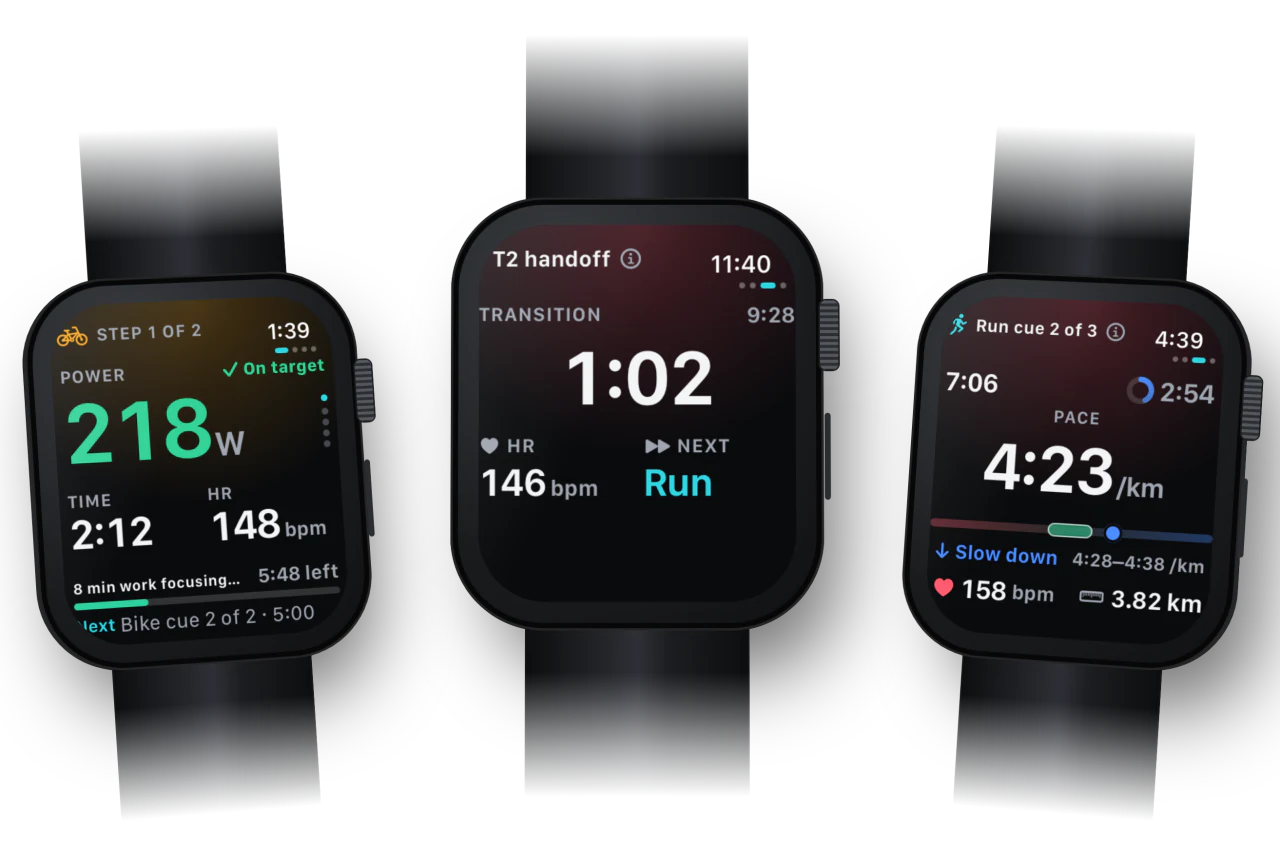
Send workouts to Watch
The session you planned is on your wrist when you head out.
Runs, rides and swims can also be scheduled in Apple’s Workout app.
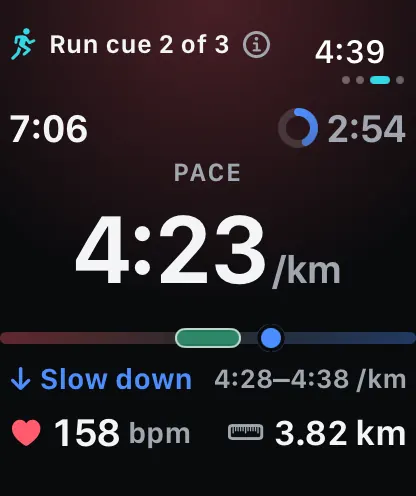
Live step guidance
The current step, its target and what comes next, at a glance.
Targets turn green when you’re on them. The next cue sits at the bottom of the screen.
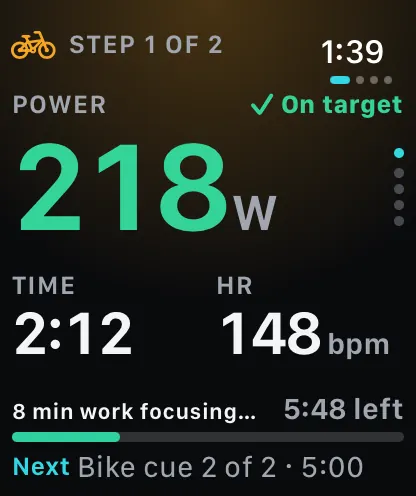
Brick transitions
Bike to run without fumbling. The watch times the change and moves you on.
The transition clock runs between legs and the run starts from the same workout.
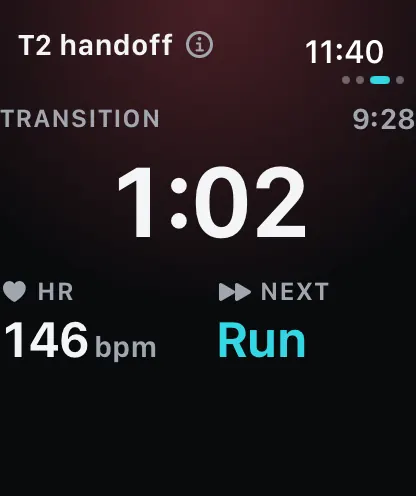
Readiness on your watch face
Readiness and today’s session from a complication.
Turn the crown to see the factors behind the score.

Strength and lifting
Get fitter and stronger, at your own pace.
Mi plans strength sessions you can keep up, then fits easy cardio and rest around them. Every lane can log a set from the wrist.
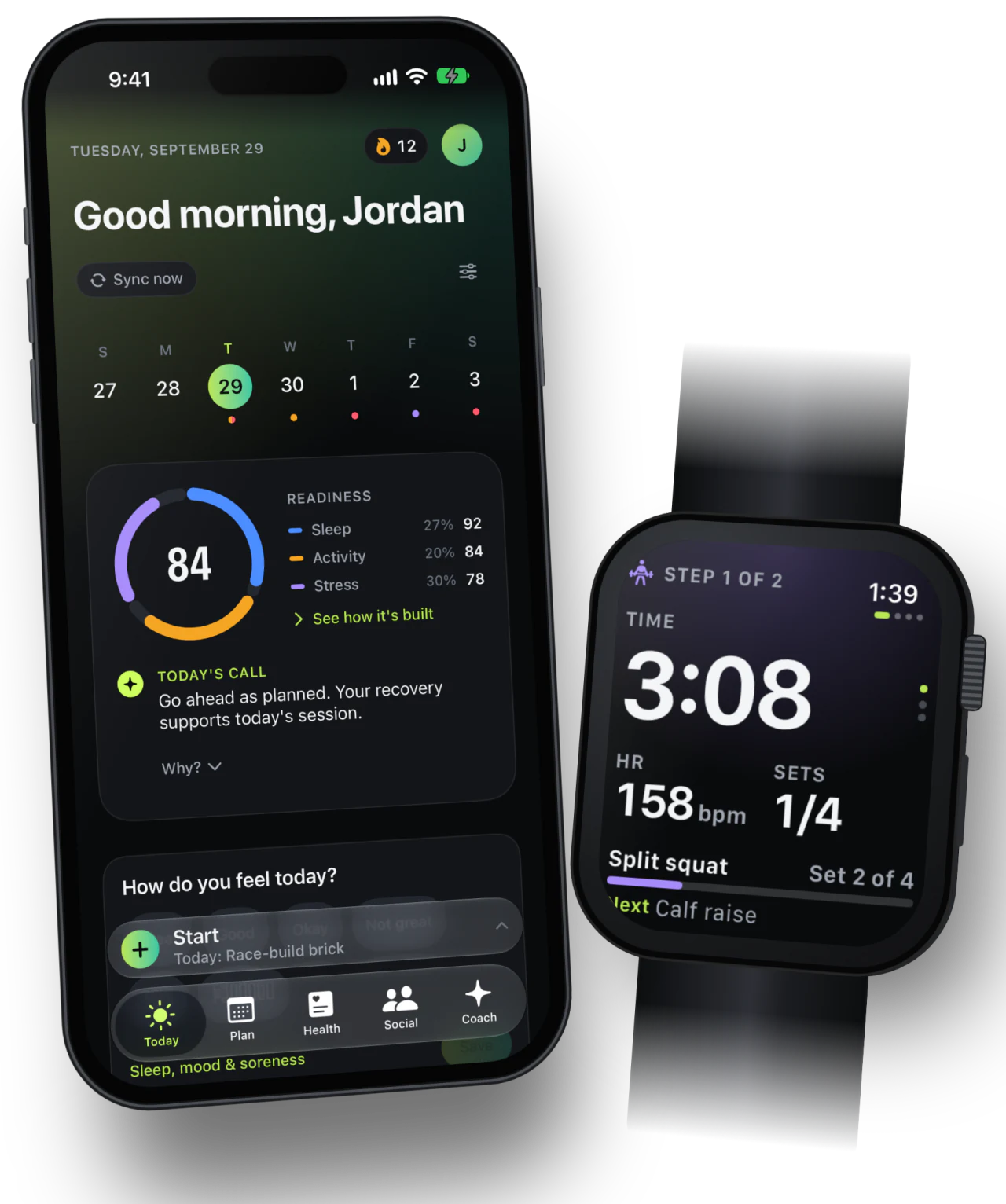
Strength, running or a mix
Pick what suits you right now, and Mi builds a week you can keep up.
Your mode, the equipment you have, how long you can train and what you did recently decide the next session.
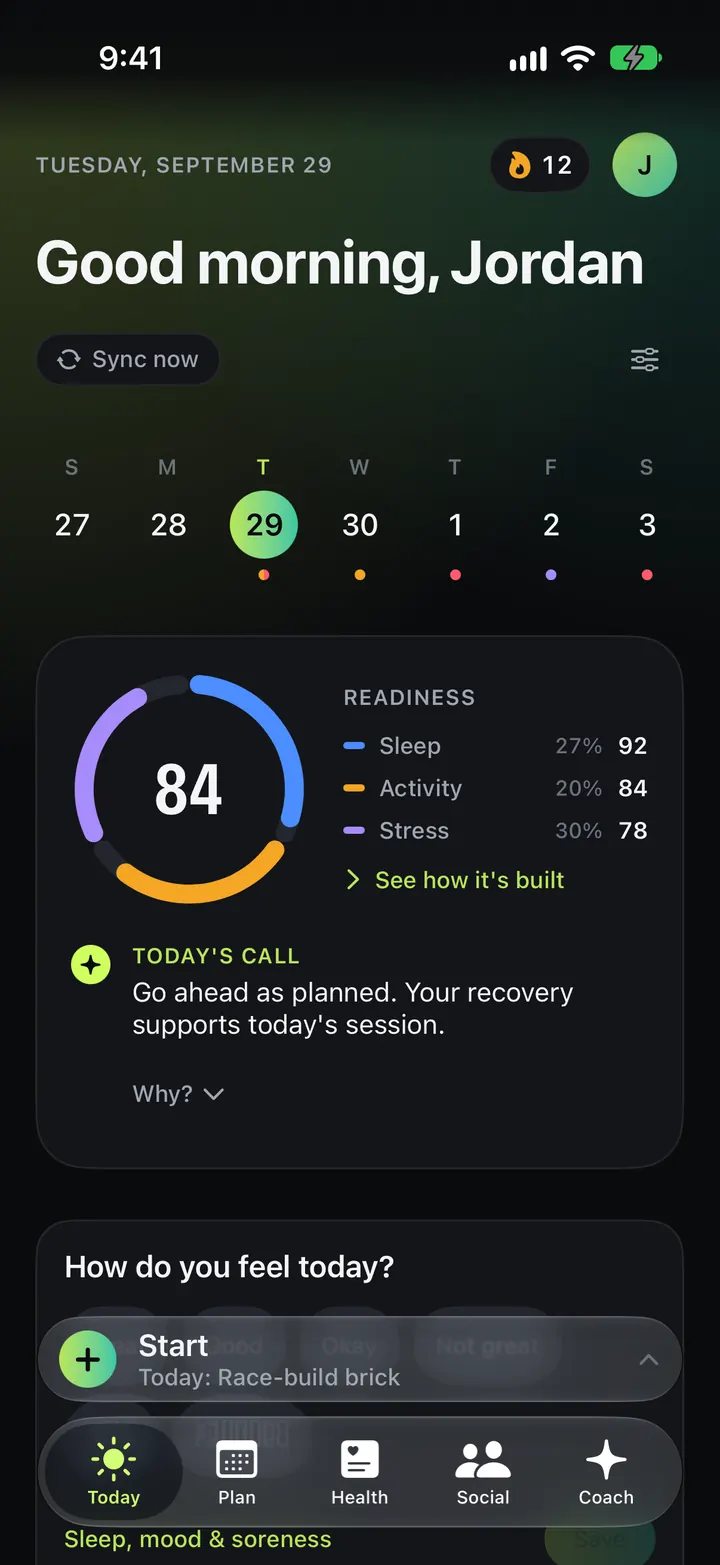
Log sets from your watch
Set progress, a rest timer and a Log Set button on Apple Watch.
Sets you log land in the same session on iPhone and the web.
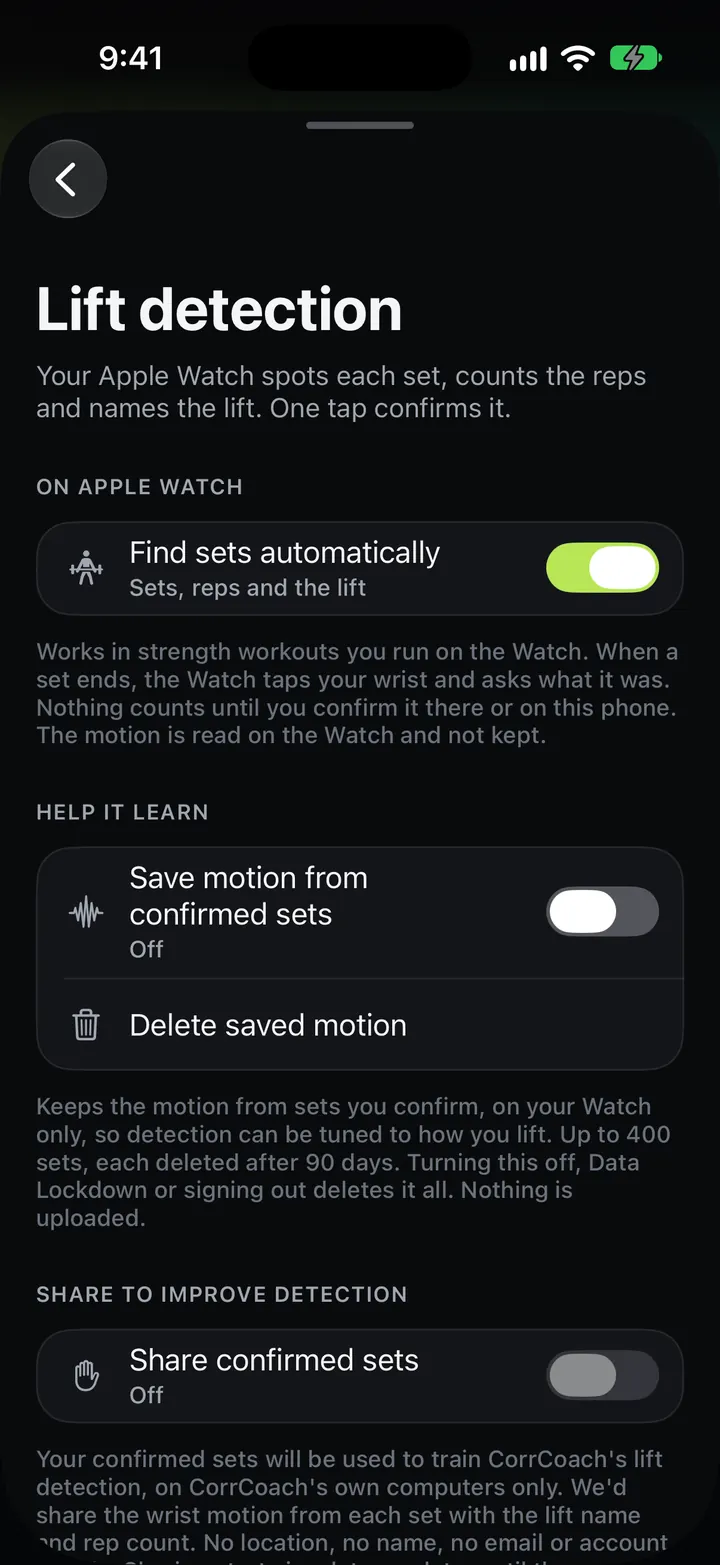
Lift detection
Your watch spots each set, counts the reps and names the lift. One tap confirms it.
Detection runs on the watch. Nothing is saved until you confirm the set, and you can fix the lift name in a tap.
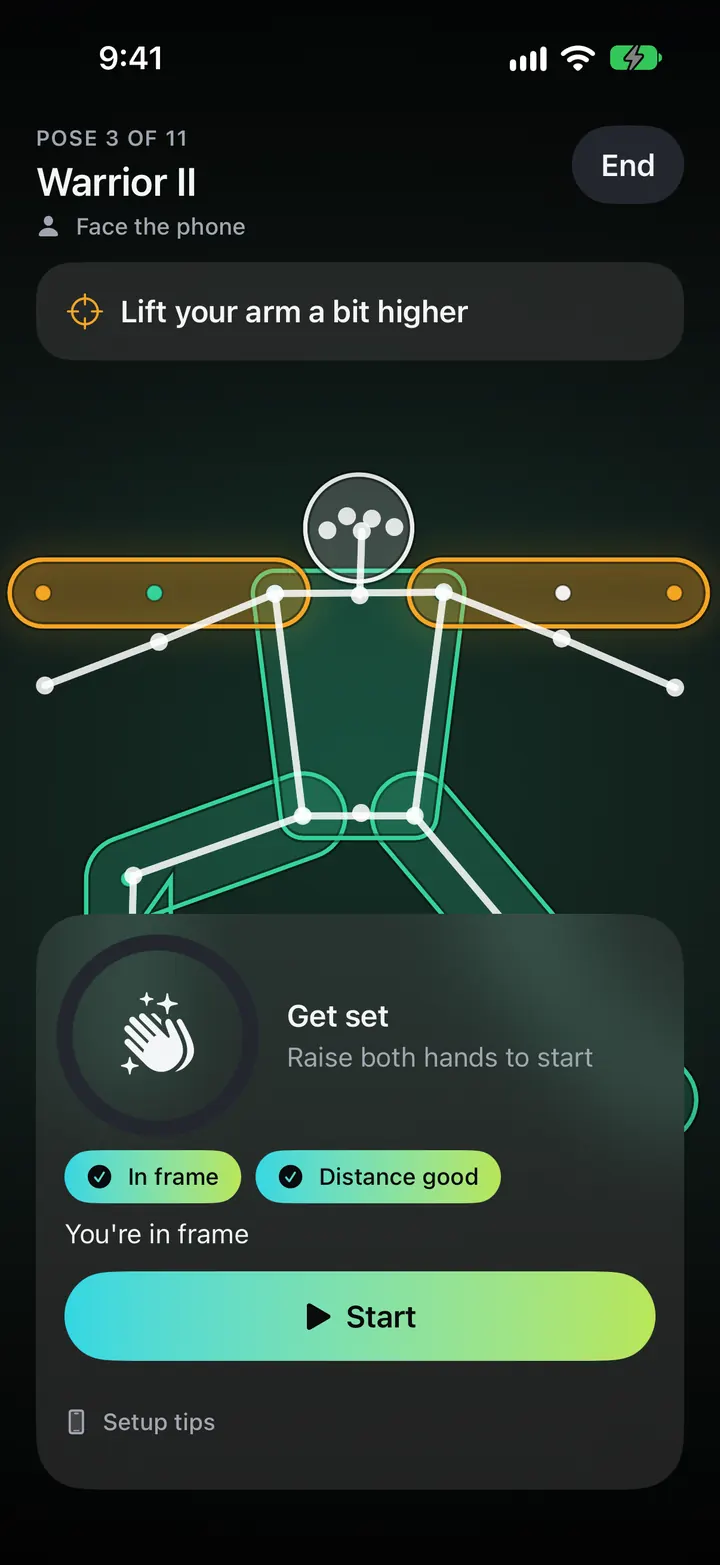
Yoga and mobility form guide
A pose guide that checks your hold. The video never leaves your phone.
A placement guide shows where to stand the phone, and a hand gesture starts the hold. Free includes one guided session a month.
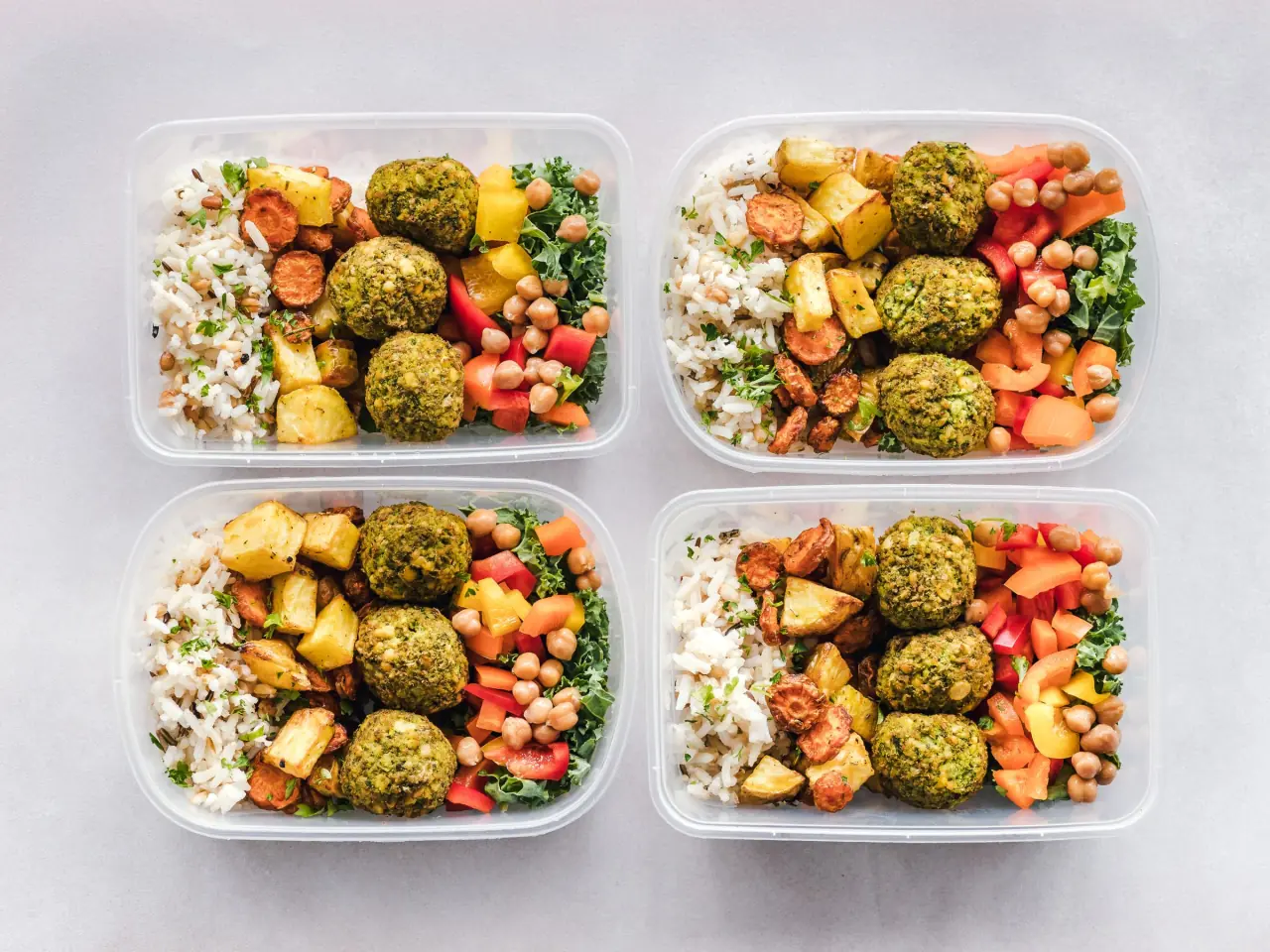
Nutrition and recipes
Food that fits the training.
Log what you eat, plan a week of meals and take the grocery list with you.
- Barcodes in Core and Pro
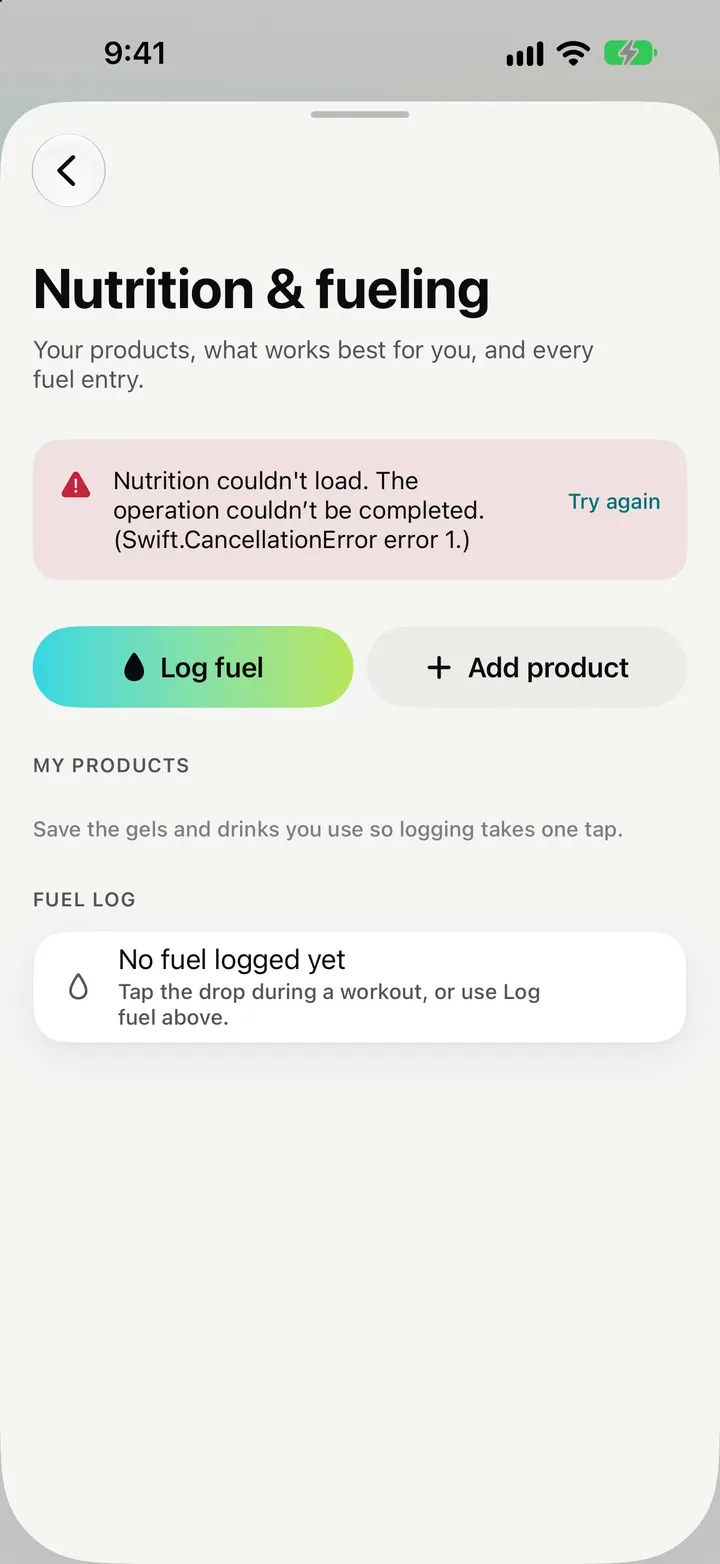
Food diary
Log food by hand, or scan a barcode.
Barcodes look products up in large public food databases. Core adds barcode scanning and photo estimates. The diary is for adults.
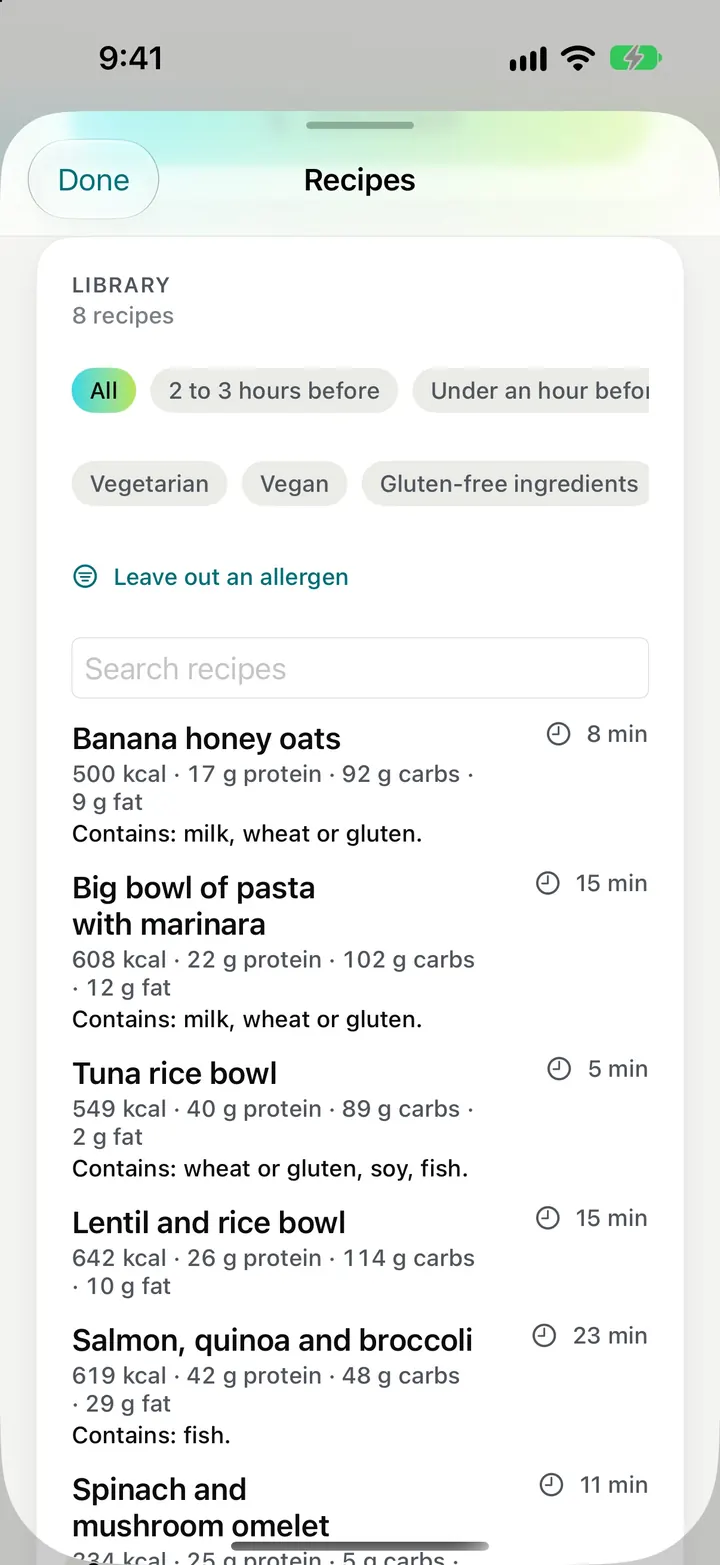
Recipe library
Recipes picked and written by people, on every plan.
The library is not AI-generated. Today suggests a few that suit the session.
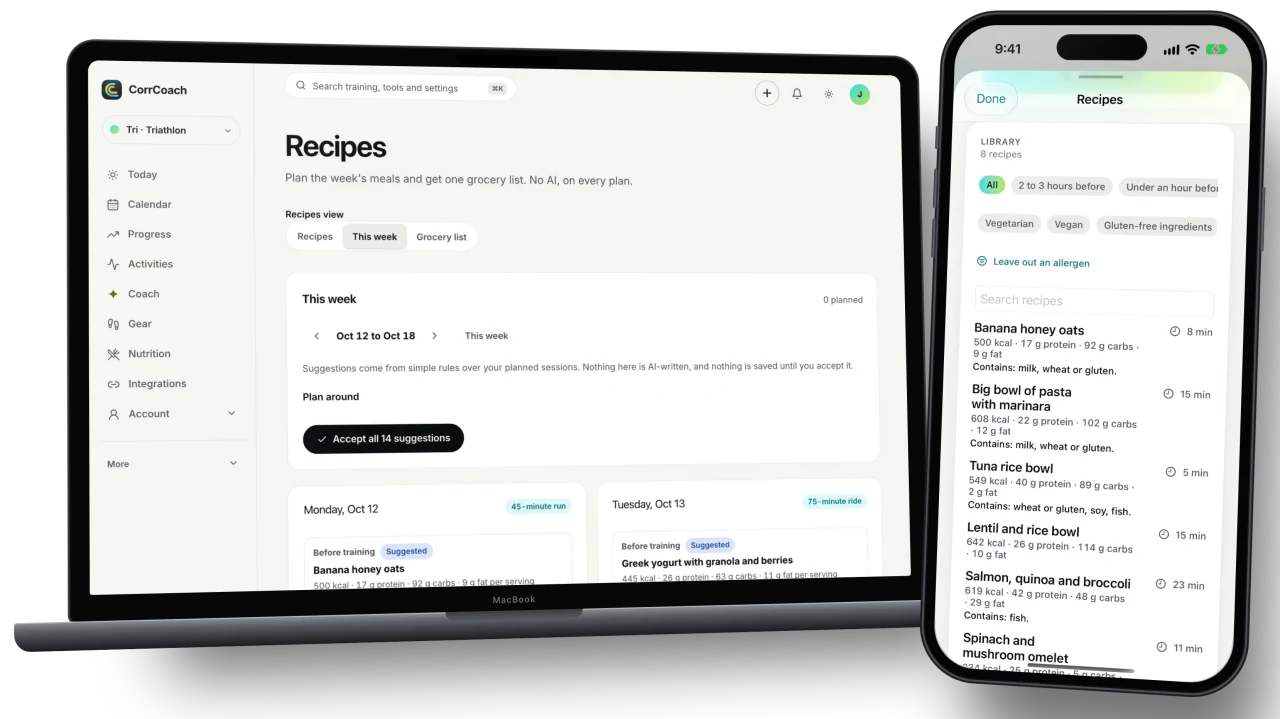
Meal plan and grocery list
Plan the week, swap what you don’t fancy, then shop from one list.
The grocery list adds up the week’s ingredients so you buy each thing once.
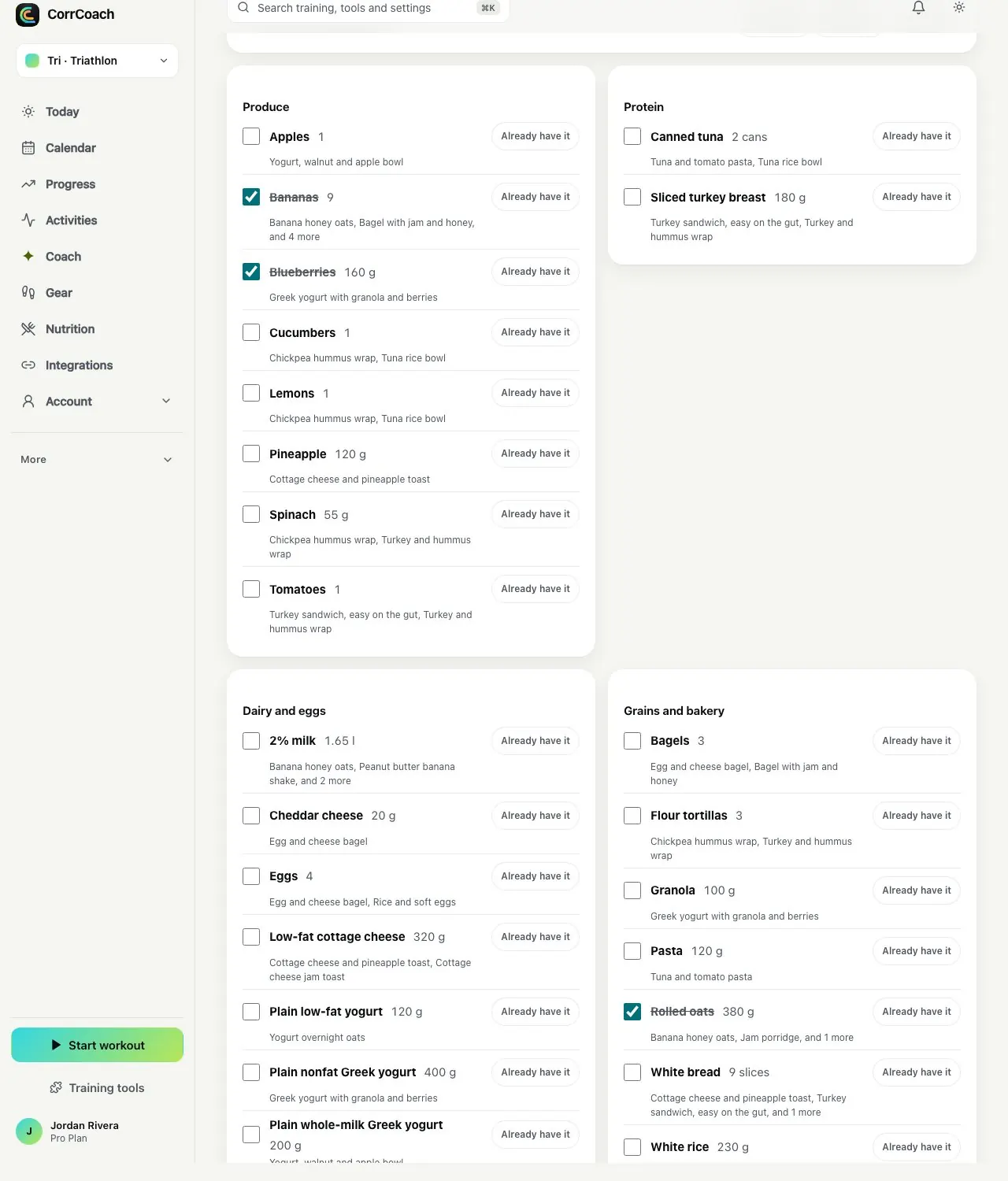
- Pro
Recipe ideas from Coach
Ask Coach for a meal idea that suits today’s training.
It uses AI credits. If Coach can’t come up with a good idea, you get an error and keep your credit.

Coaches and teams
What a coach sees, and what stays with you.
A human coach or a team gets a workspace on the web. Athletes accept the invite and choose what is shared.
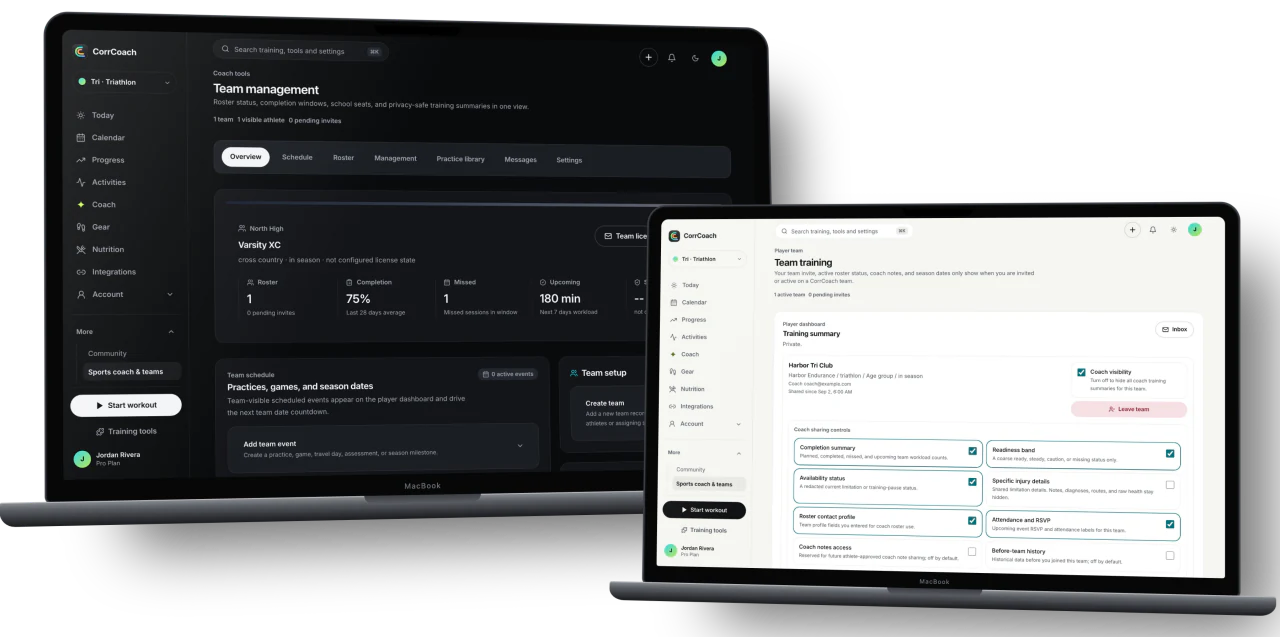
Completion and missed sessions
See who finished the week and who missed sessions, without opening anyone’s notes.
The roster shows completion, missed-session counts and the workload coming up for every athlete who accepted team access. The coach workspace runs on the web.
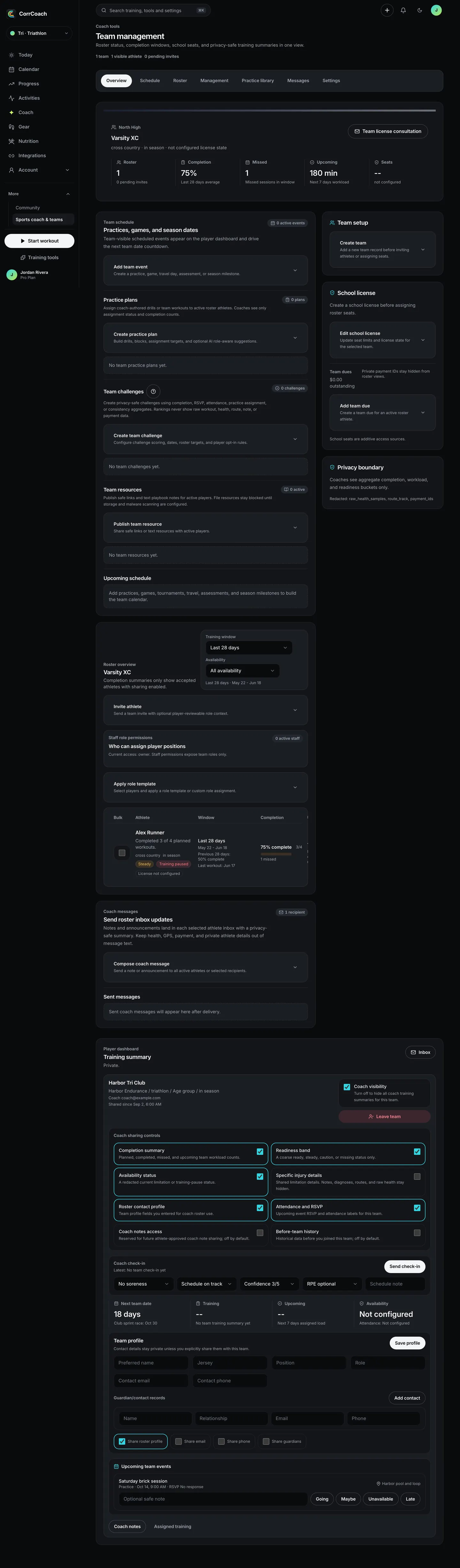
Readiness band, not raw data
A coach sees ready, steady or caution for each athlete. Sleep, heart rate and routes stay private.
The band is one of the things an athlete can switch off. Notes, diagnoses, precise routes and raw health samples are never part of the coach view.
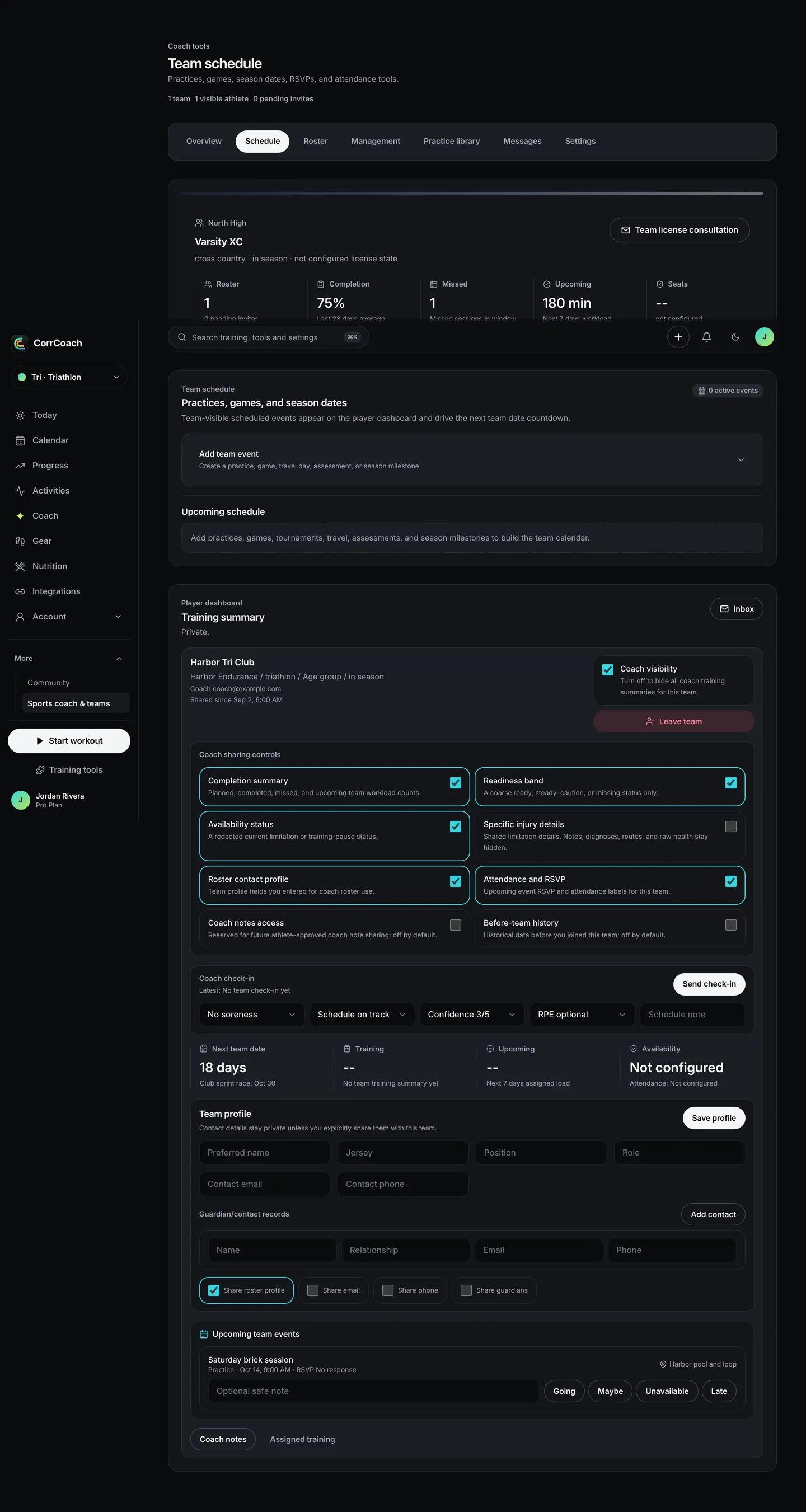
Practices, games and RSVPs
Post a practice or a game and see who is going.
Events carry the season dates, and athletes answer going, maybe, unavailable or late from their own Team page.
Practice plans
Draft a practice, review it, then publish it to the team.
Plans can carry blocks for specific positions and roles, plus resources players can open.
Approve plan changes
Ask to approve an athlete’s plan changes before they apply.
With review switched on for an athlete, their saved plan-change proposals wait for you. Approve, reject, or ask for changes with a note. Nothing changes until you decide.
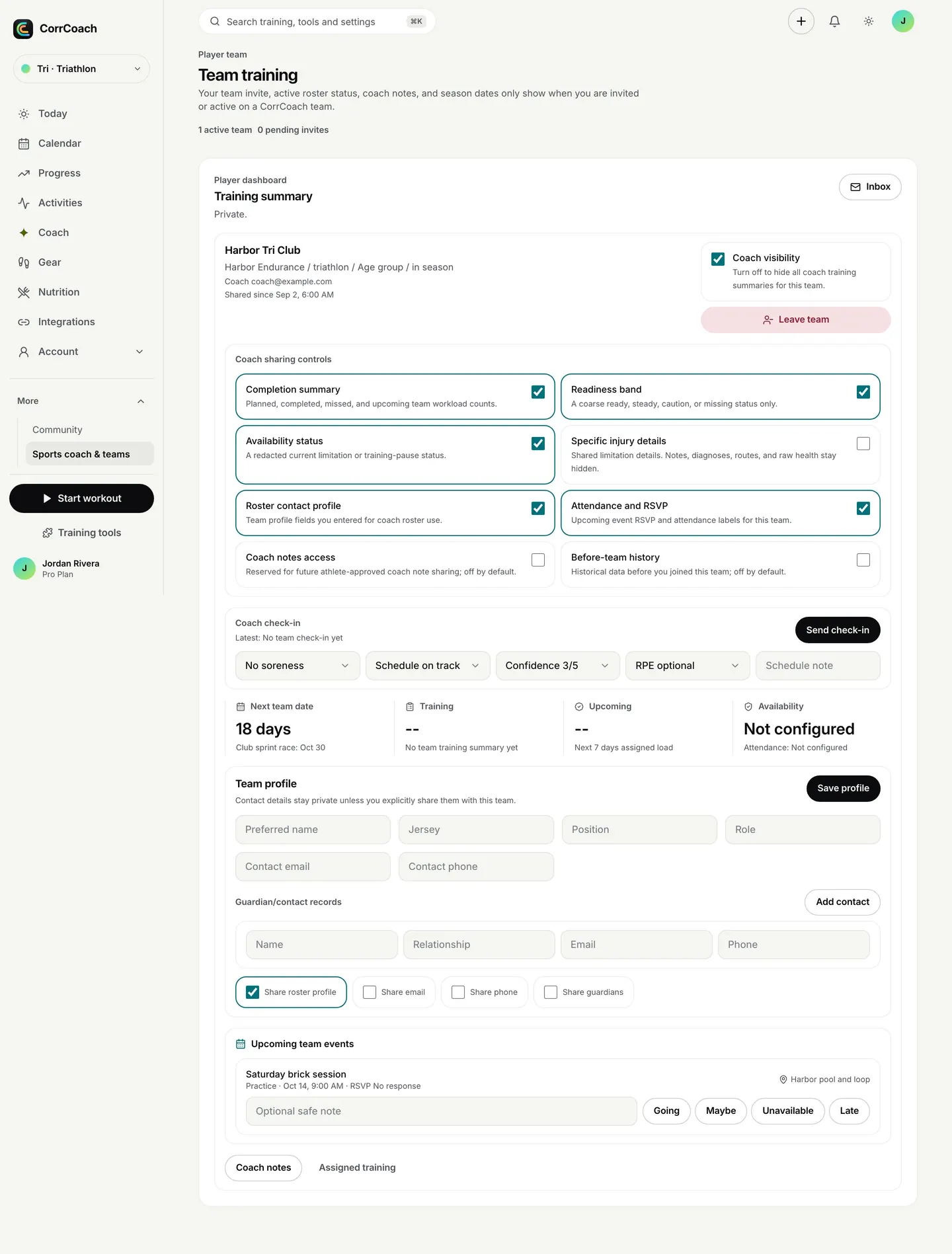
Athletes choose what is shared
Every athlete decides what the coach sees, and can turn coach visibility off.
Completion, readiness band, availability, roster contact details and RSVPs are separate switches. Specific injury details, coach notes and history from before you joined the team start off. You manage this from your Team page on the web, and see your teams on iPhone.
Roster messages and seats
Send announcements, invite athletes and manage licence seats from one place.
Invites can be resent or revoked. Team licences are set up with us, not bought in the app.
Data and privacy
Your data, your call.
Connect what helps, leave out what doesn’t, and take everything with you when you want.
- Pro
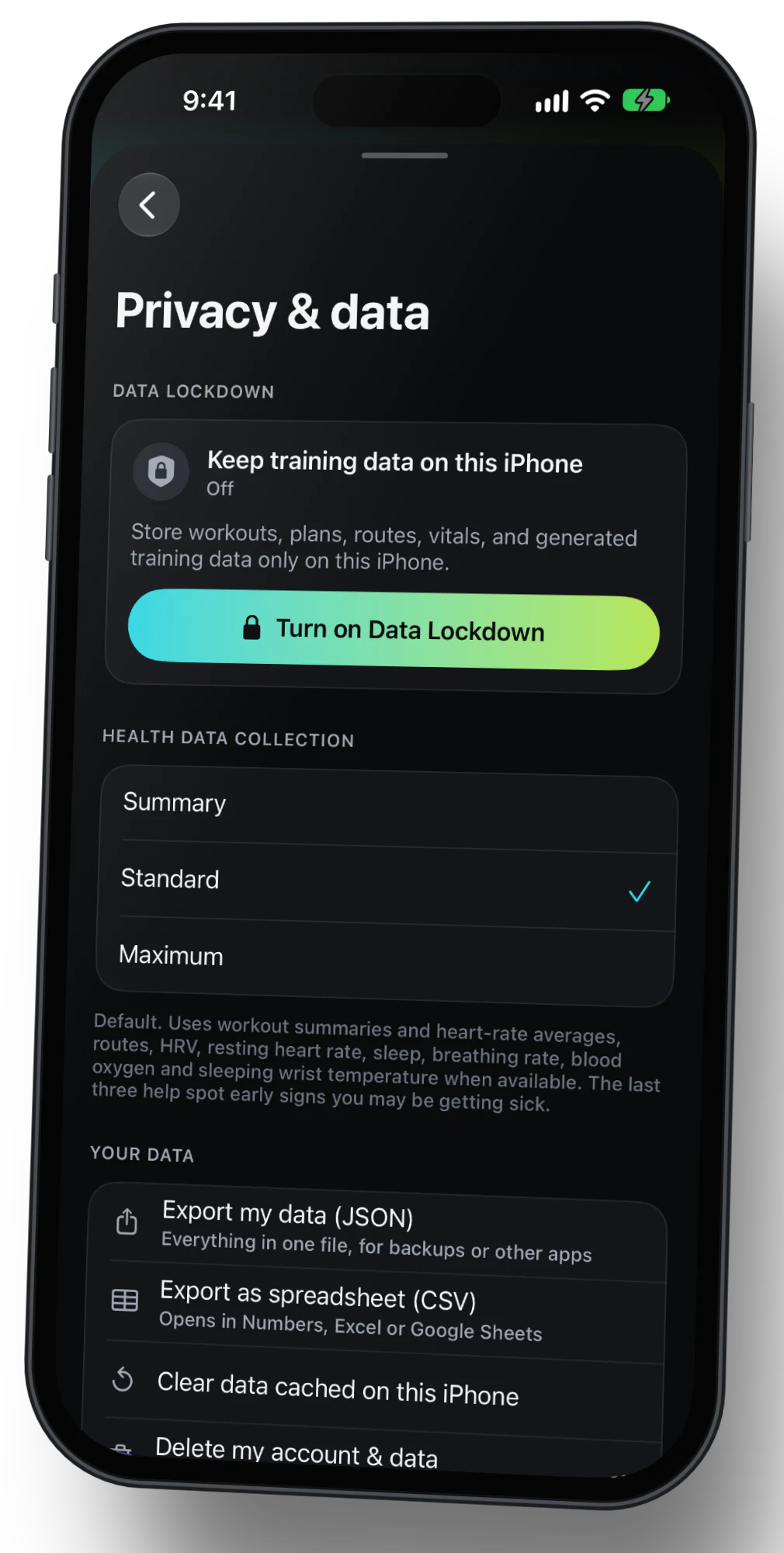
Data Lockdown
Keep supported coaching on a compatible iPhone, with no training data stored on our servers while it’s on.
Lockdown uses Apple Health for local coaching. While it’s active, Strava, Garmin and other provider imports are switched off.
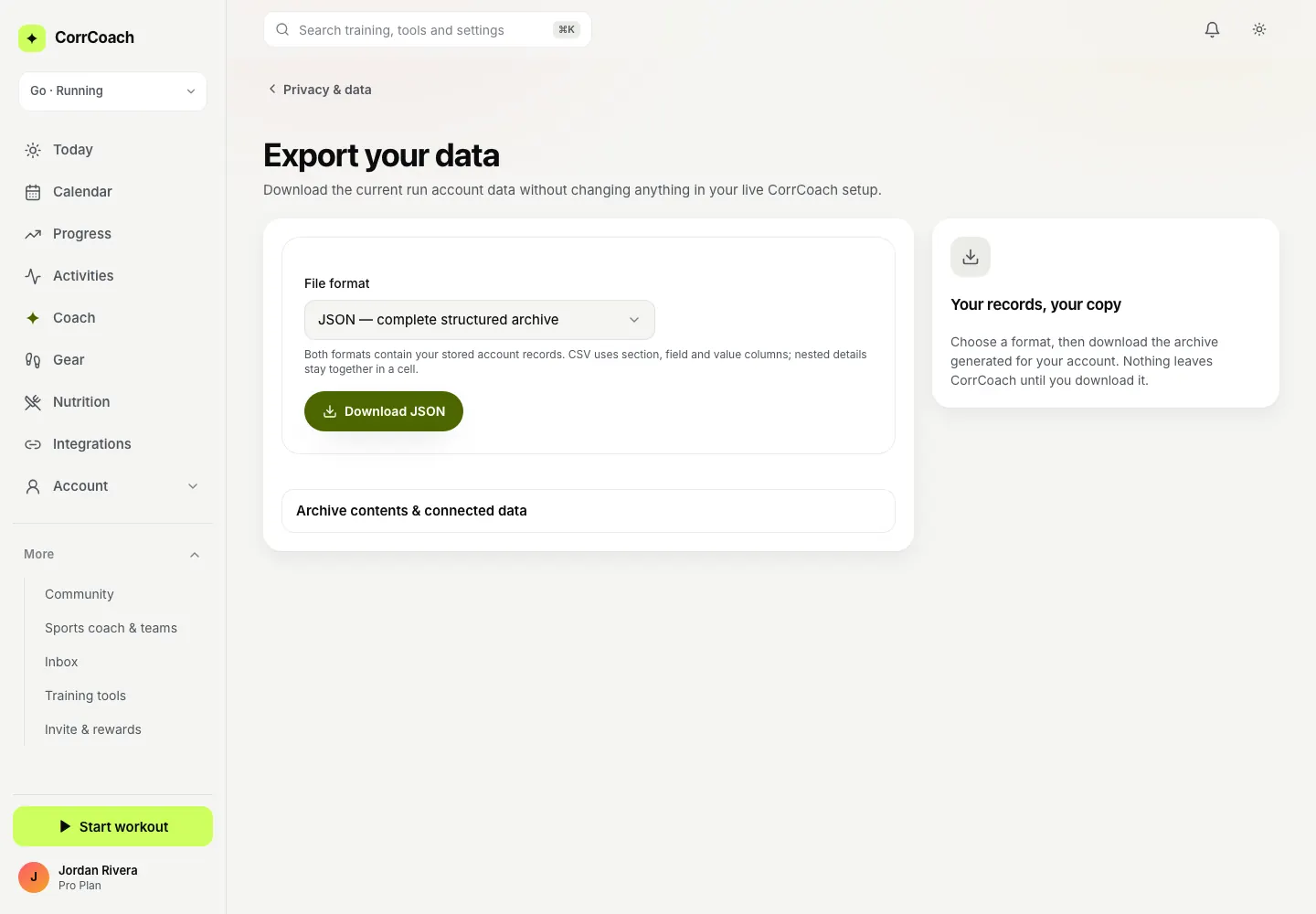
Export everything
Download your account data as JSON or CSV whenever you like.
Deleting your account data is in the same settings page, with a clear confirmation.
Connected data is optional
Log workouts by hand, or connect Apple Health, Apple Watch and Strava. Your call.
Every connection can be turned off again from Integrations.
Devices, import and export
Bring your history. Take it with you.
Pull in what you’ve already done and send planned work wherever you train.
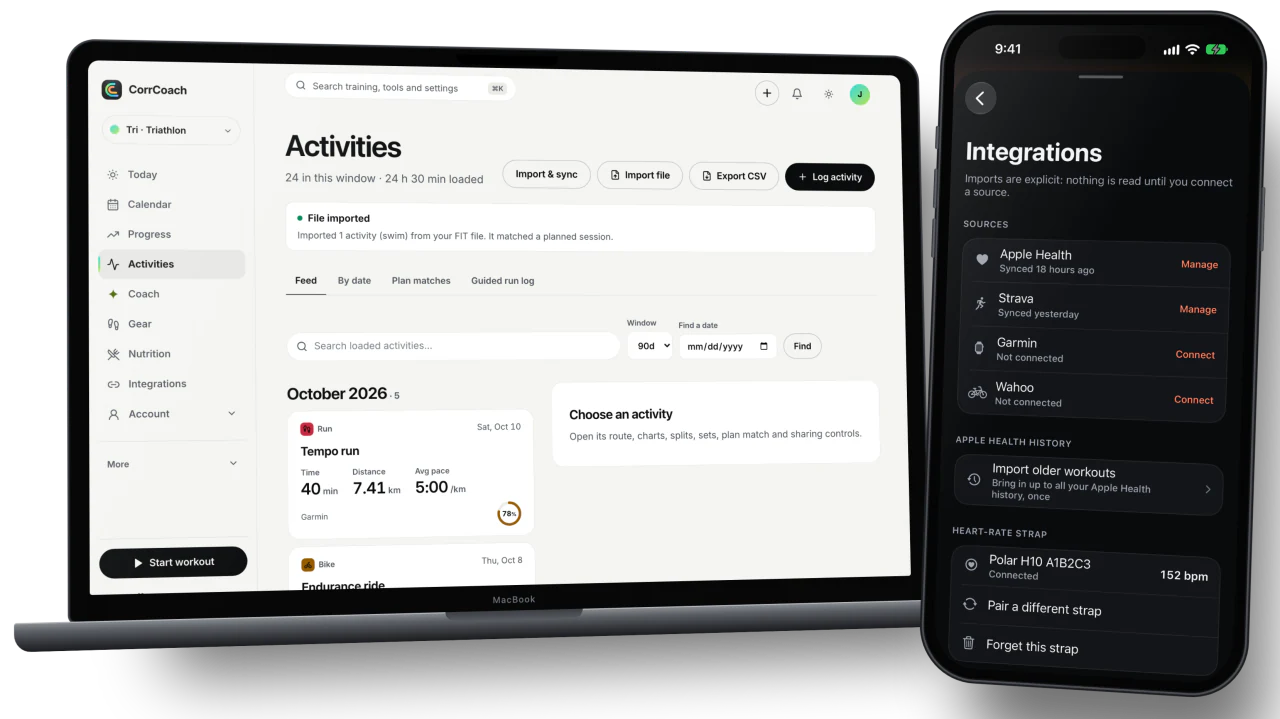
Apple Health
Workouts, routes, heart rate and recovery signals come in. Your recorded workouts go back.
Walks and hikes are left out on purpose so they don’t count as training load.
WHOOP, Garmin and Oura through Apple Health
Share from their apps to Apple Health, and CorrCoach reads it from there.
There is no direct connection to these brands. The route needs the CorrCoach iPhone app, and what arrives depends on what each app shares.
- Core and Pro
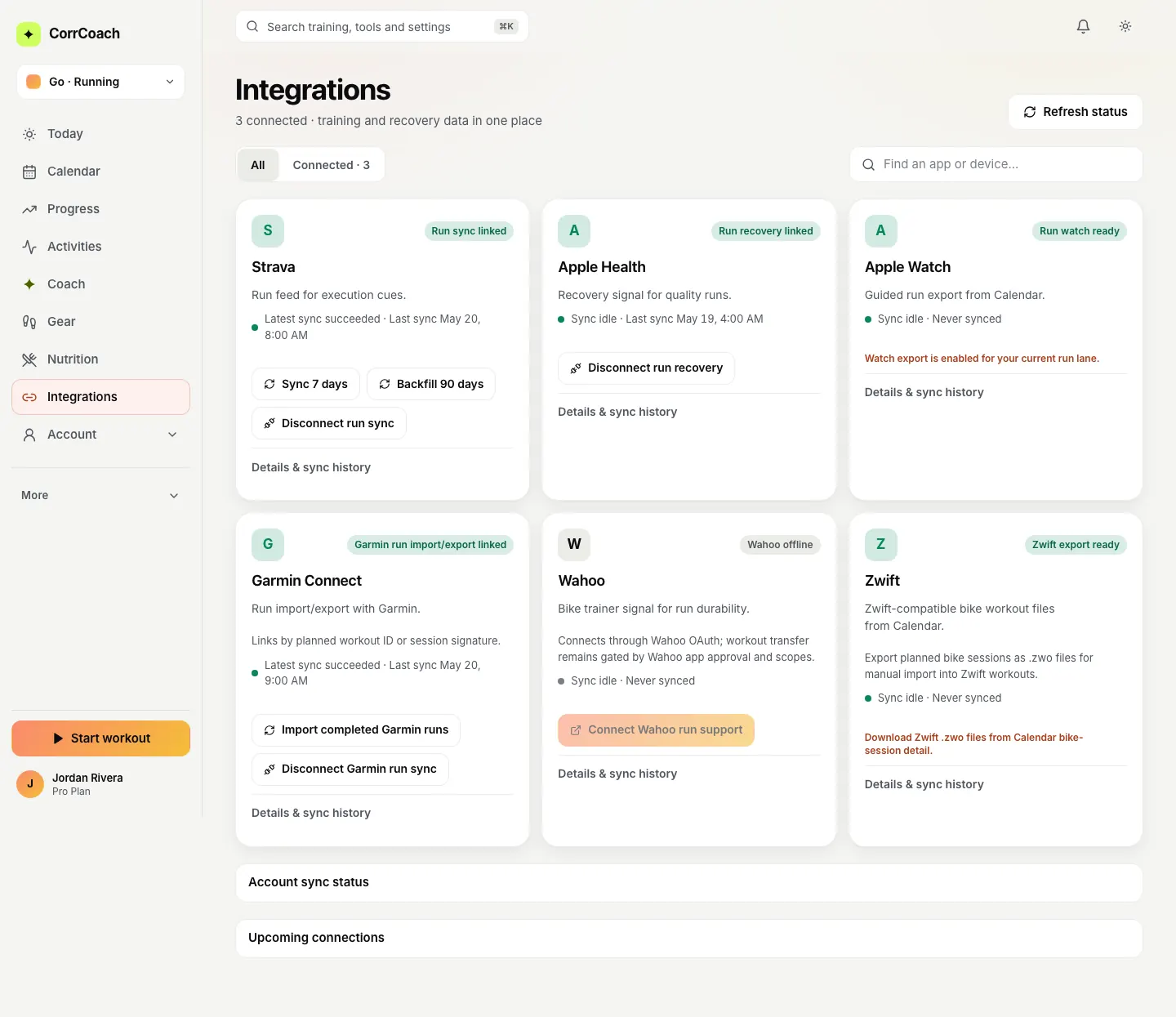
Strava and Garmin import
Your activities arrive without exporting anything by hand.
Strava and Garmin connections come with Core and Pro.
Files in, files out
Import FIT, GPX and TCX. Export activities as FIT, TCX or GPX.
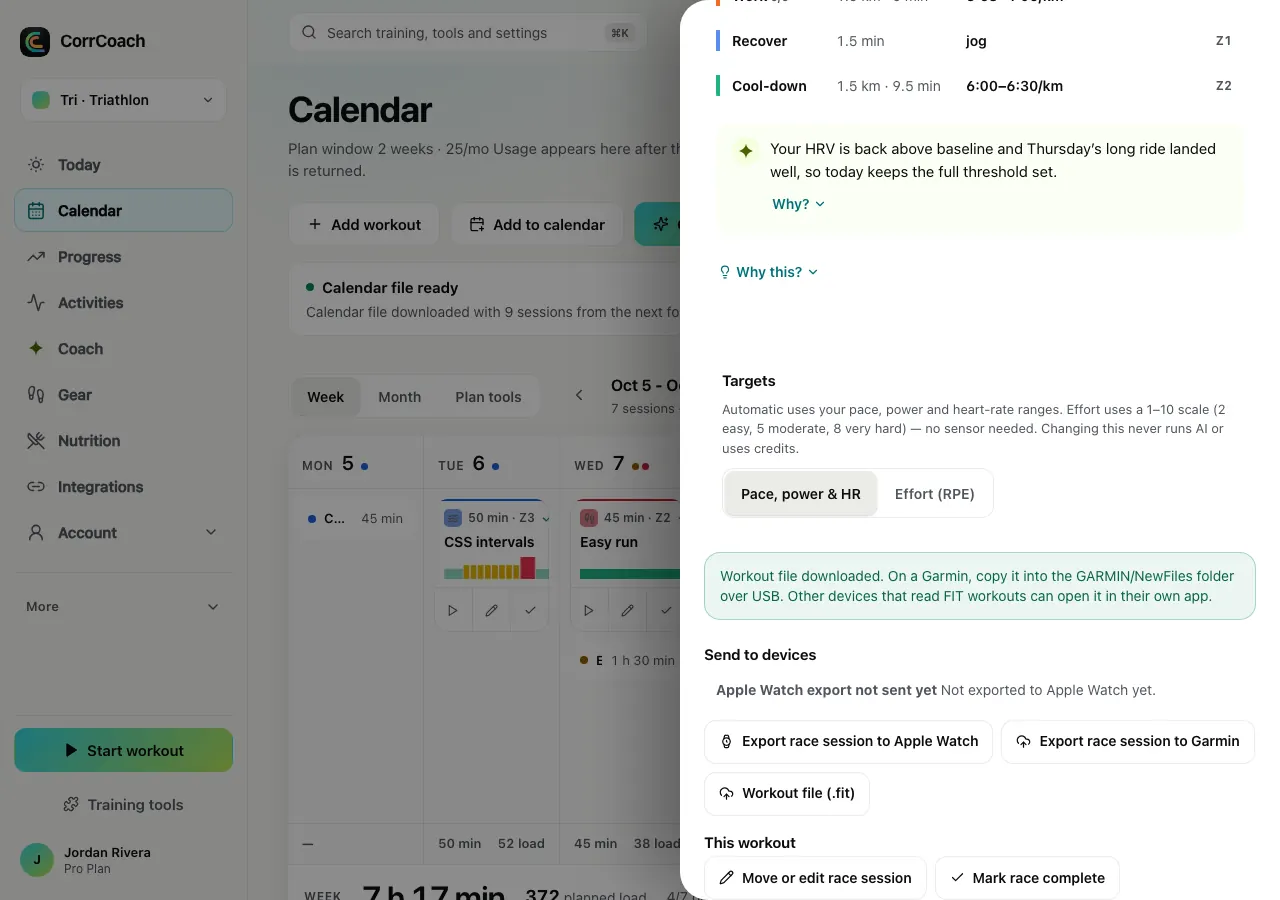
Planned rides export to Zwift as .zwo, planned workouts export as FIT, and your calendar exports as .ics.
Heart-rate straps
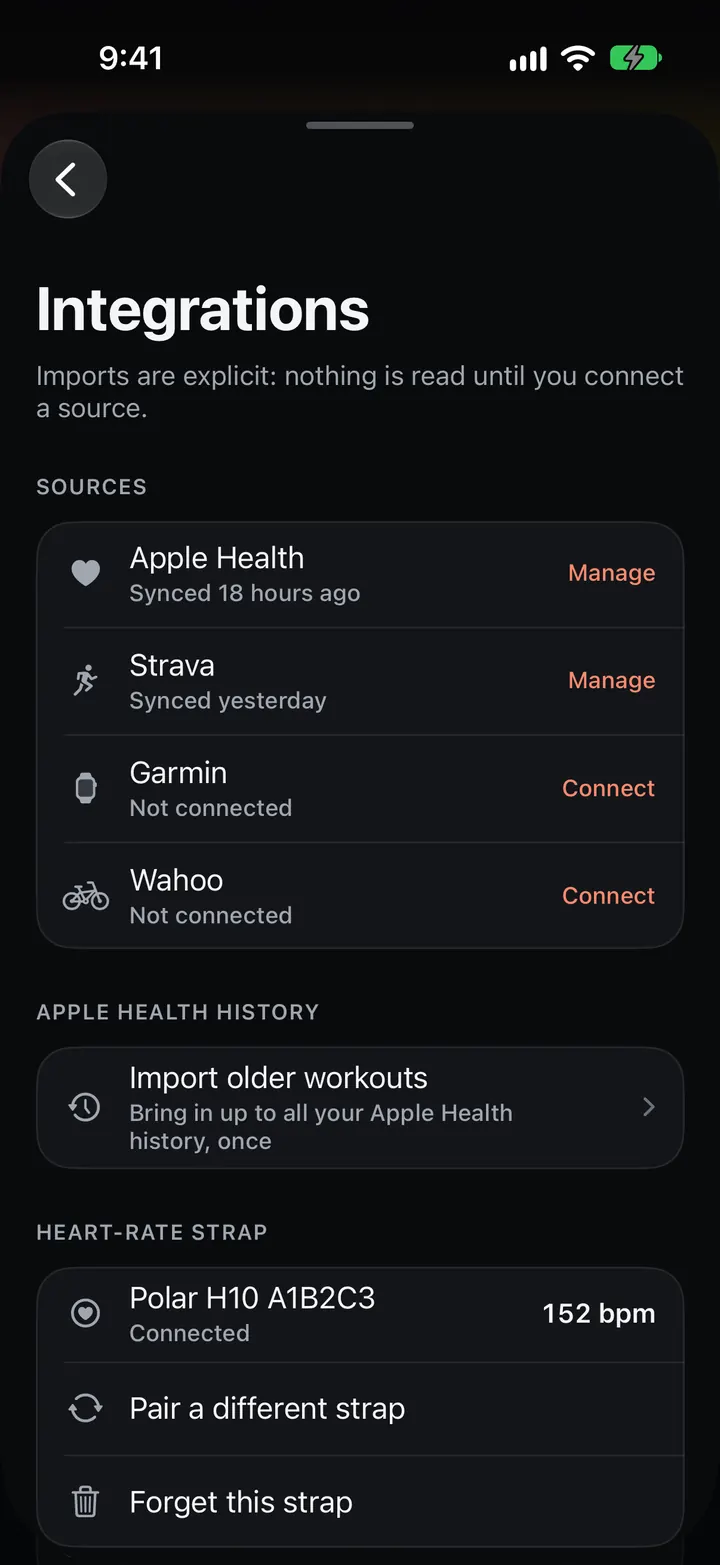
Pair a Bluetooth chest strap for iPhone workouts.
Pairing lives under Integrations in You.
Web, iPhone and iPad
One plan, every screen.
Plan on a big screen, check it on your phone, run it on your wrist. It’s the same plan everywhere.
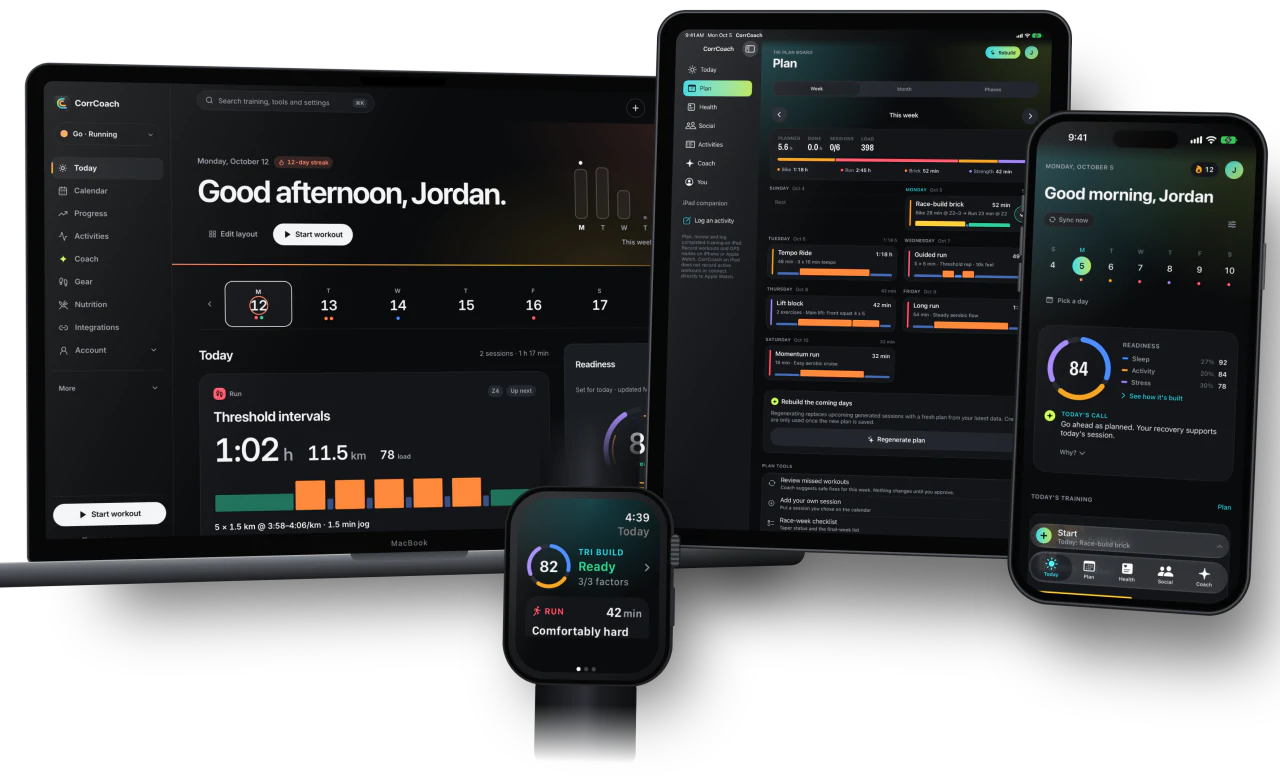
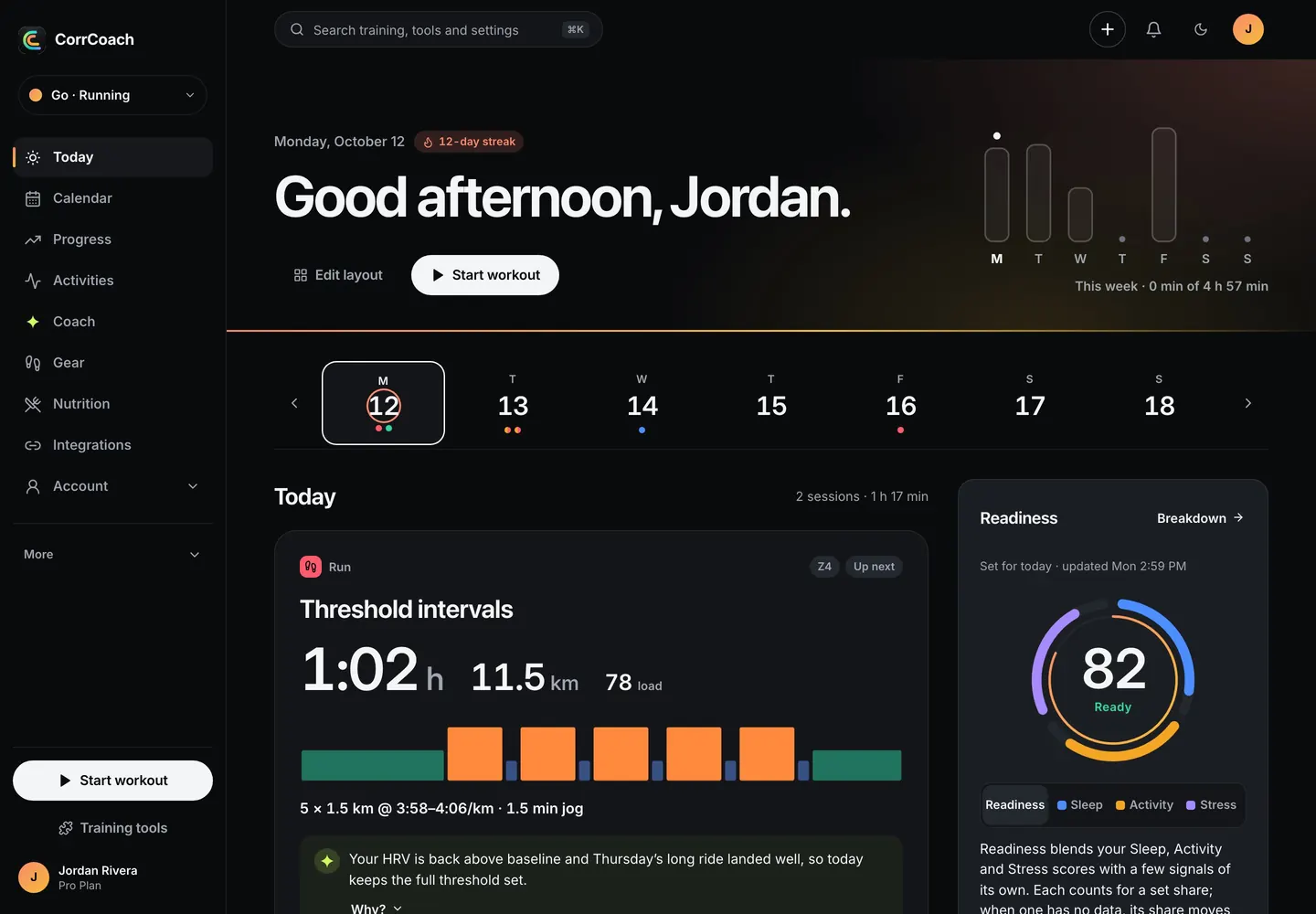
The web app
The whole plan on a big screen, with drag-to-move on the calendar.
Today, Calendar, Progress, Activities, Coach, Gear, Nutrition and Integrations, all in one sidebar.
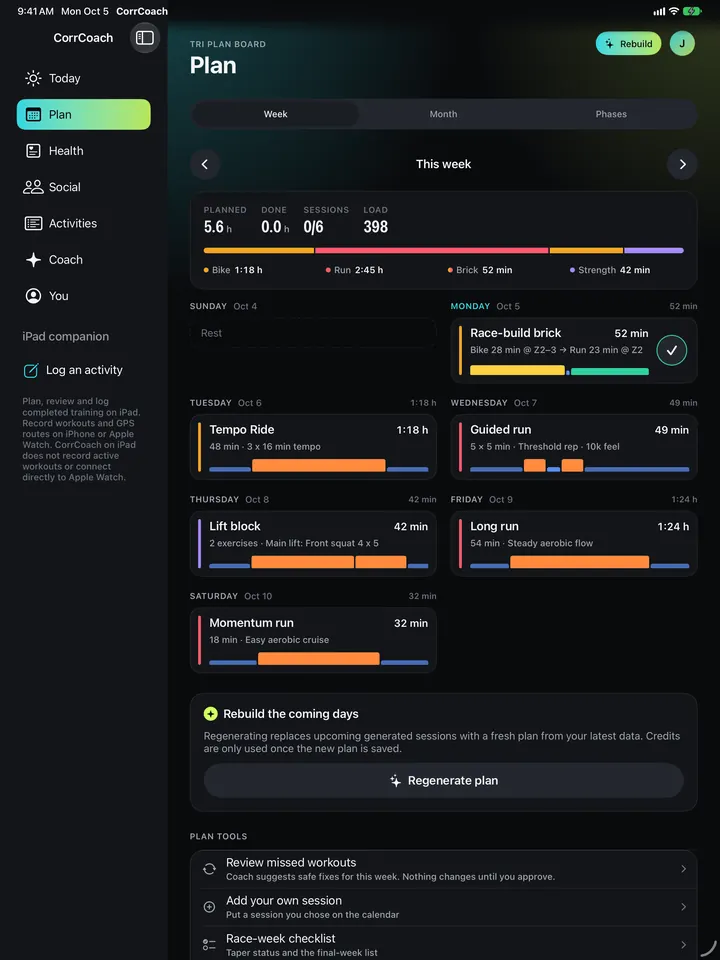
iPad
A wide week grid for planning and review.
Session details open beside the week, so you keep your place.
Weekly recap email
A short recap of your week in your inbox, in your lane’s colours.
Feature tips for your first week are on by default, and you can turn off any category.
Social
Train with people. Share on your terms.
Follow friends, join a challenge, and decide who sees your activities.
Feed and friends
See what your friends trained this week.
Search for athletes, follow them and choose who sees your activities.
Report and block
Block someone or report a post in two taps, and manage your blocked list.
Your blocked list lives in social settings, and you can unblock from there.
Challenges and streaks
Set a challenge with friends and keep a streak going.
Invite friends with a link. Rewards for invites show in the app.